

This guide covers installing and using Bulk Post Date Change by Quintaphon (version 1.0.0), a free plugin that changes the published and modified dates of many posts at once. Use it for your first change and as a reference for every screen.
Tip
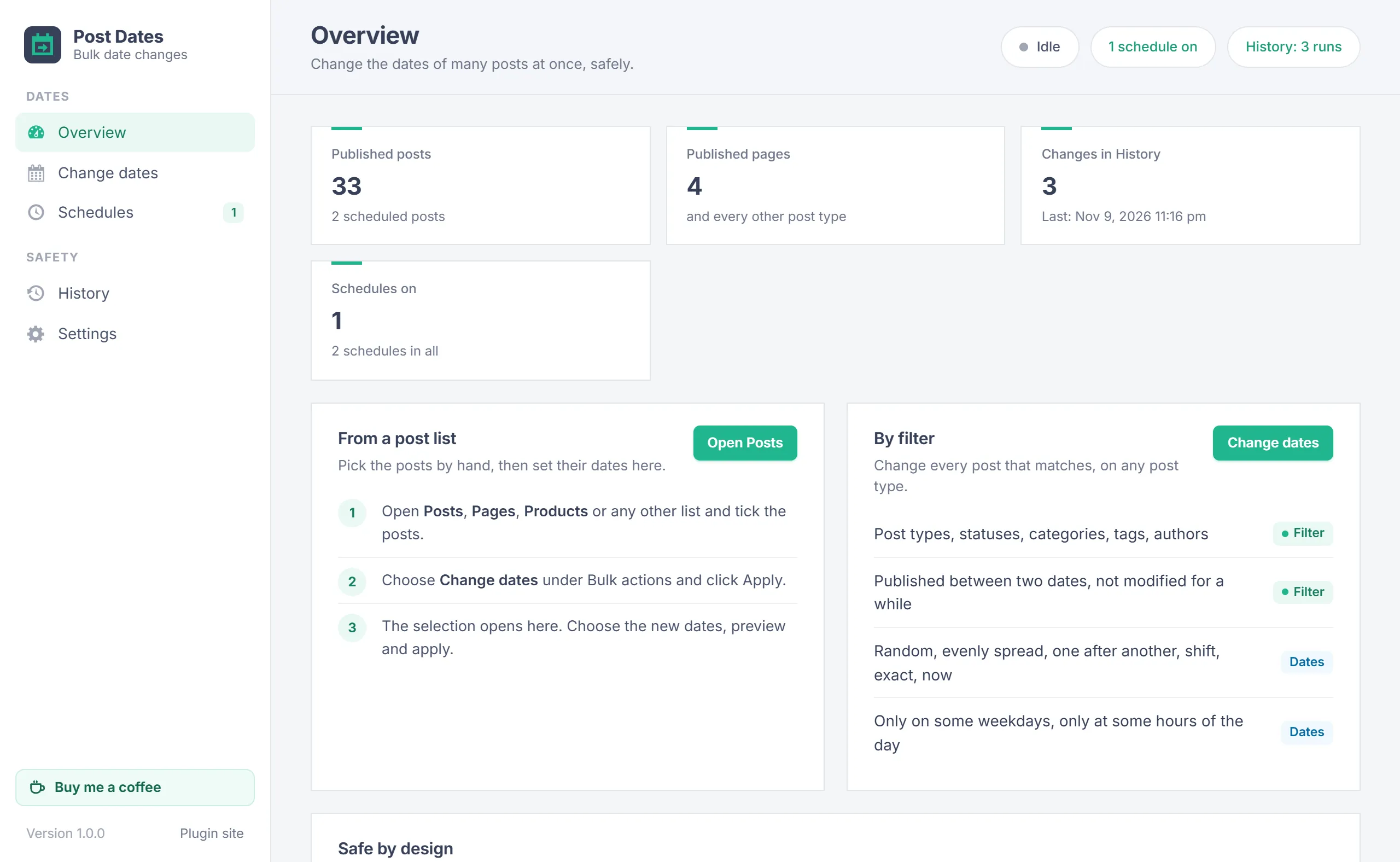
The plugin adds Change dates to the Bulk actions of every post list and a screen under Tools > Post Dates with Overview, Change dates, Schedules, History and Settings.
Overview
WordPress lets you edit the date of one post at a time. Bulk Post Date Change works on as many posts, pages, products or other post types as you like:
- Pick: posts you tick in a post list, or every post that matches the filters.
- Choose: which date to change (published or modified) and how to set the new dates.
- Preview: a table of old and new dates. Nothing changes until you click Apply.
- Apply: the posts are changed in batches. Every run is kept in History and can be undone.
Requirements
| Item | Needed |
|---|---|
| WordPress | 5.8 or newer (tested up to 7.1) |
| PHP | 7.2 or newer |
| User | Anyone who can edit other people's posts (editors and administrators). Each post is also checked: posts the user may not edit are skipped. Settings are for administrators only. |
Install
- Download bulk-post-date-change.zip.
- In WordPress go to Plugins > Add New Plugin > Upload Plugin, choose the file, click Install Now and activate it.
- Open Tools > Post Dates, or go to Posts.
Activating the plugin changes nothing on your site. It adds the bulk action and the screen.
From a post list
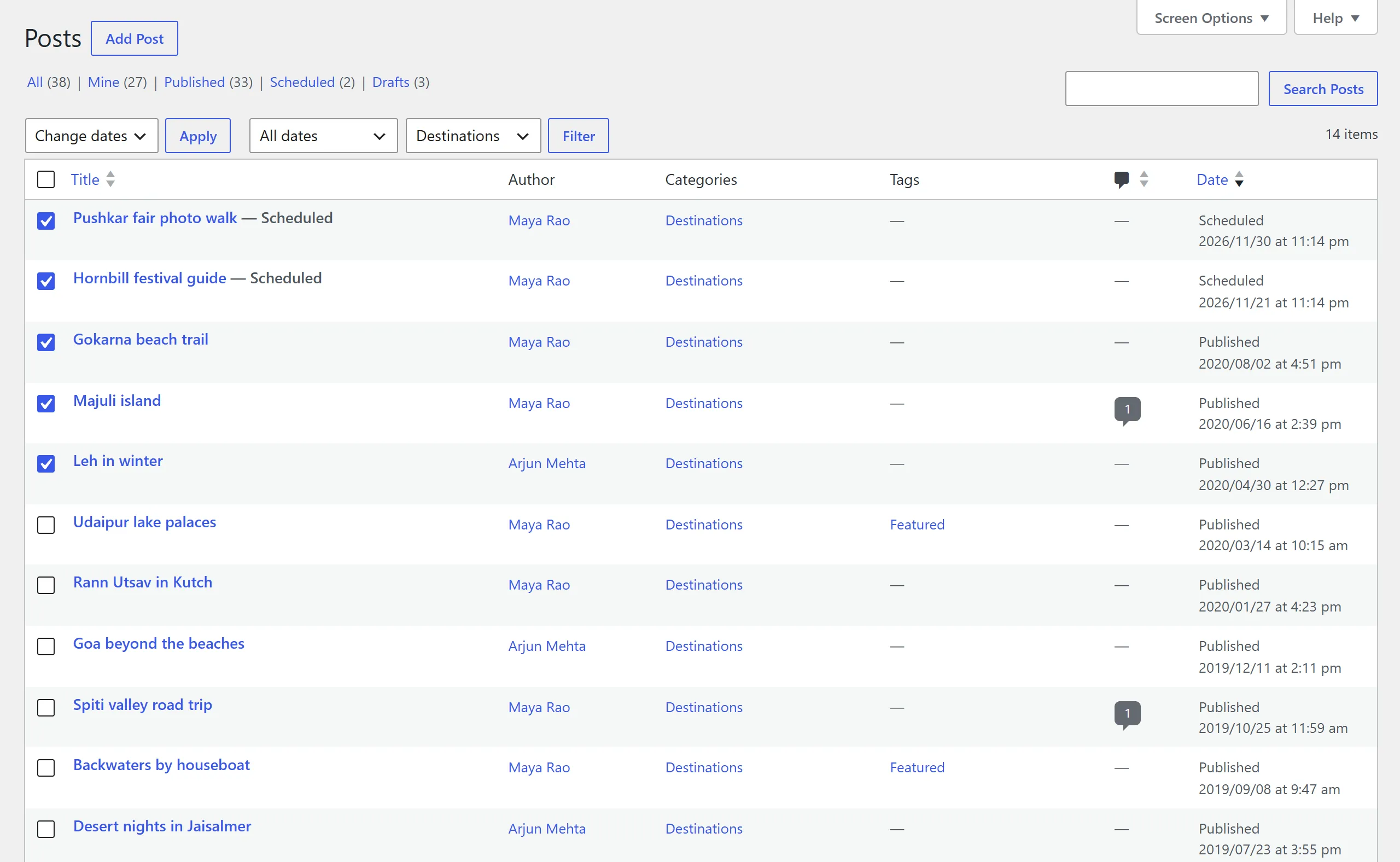
The quickest way to change a handful of posts:
- Open Posts, Pages, Products or any other post list.
- Tick the posts, choose Change dates under Bulk actions and click Apply.
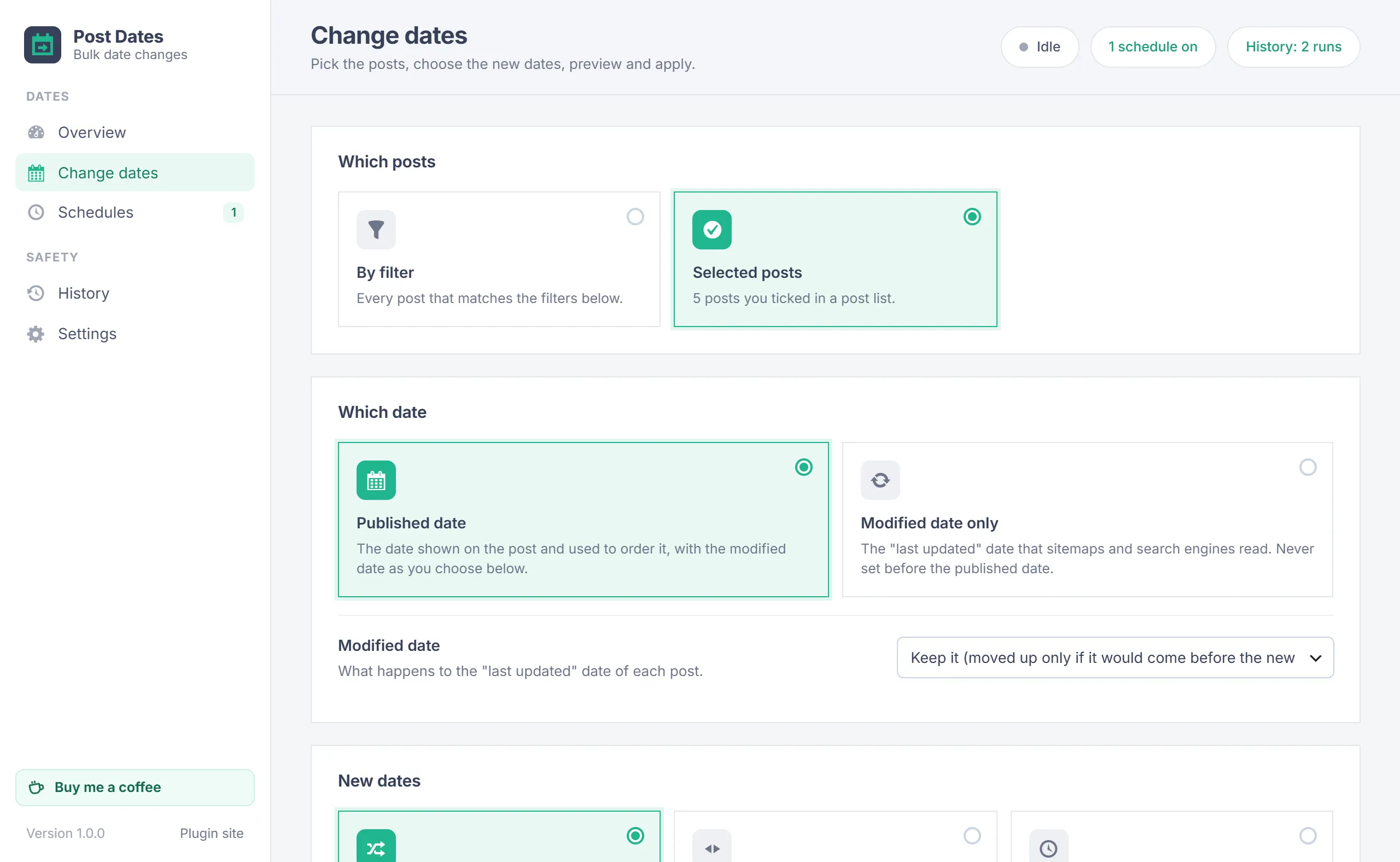
- The selection opens on the Change dates screen with Selected posts chosen.
A selection is kept for an hour; after that, tick the posts again.
Filters
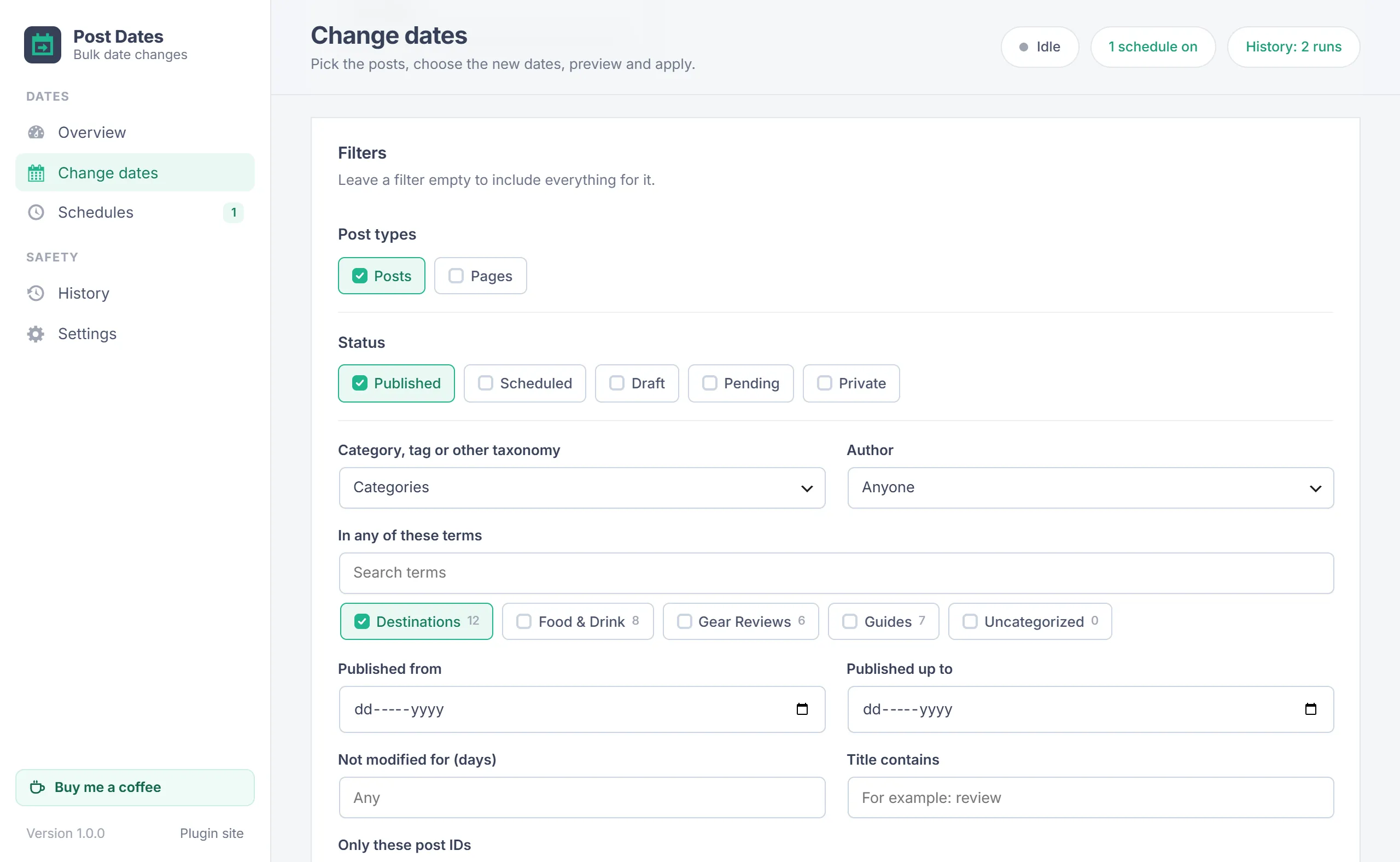
With By filter chosen, leave a filter empty to include everything for it. A line above the Preview button shows how many posts match and updates as you change the filters.
- Post types and Status: published, scheduled, draft, pending and private. Published posts are picked at first.
- Category, tag or other taxonomy and In any of these terms.
- Author.
- Published from and Published up to.
- Not modified for (days): only posts whose last update is at least this old.
- Title contains and Only these post IDs.
- At most and Taking first: limit the run to a number of posts, taking the oldest, the newest, the least recently modified or random ones first.
Which date
| Choice | What changes |
|---|---|
| Published date | The date shown on the post and used to order it. Choose what the modified date does: keep it (moved up only if it would come before the new published date), same as the new published date, now, or a random moment between the new published date and now. |
| Modified date only | The "last updated" date that sitemaps, feeds and search engines read. It is never set before the published date. |
New dates
| Method | What it does |
|---|---|
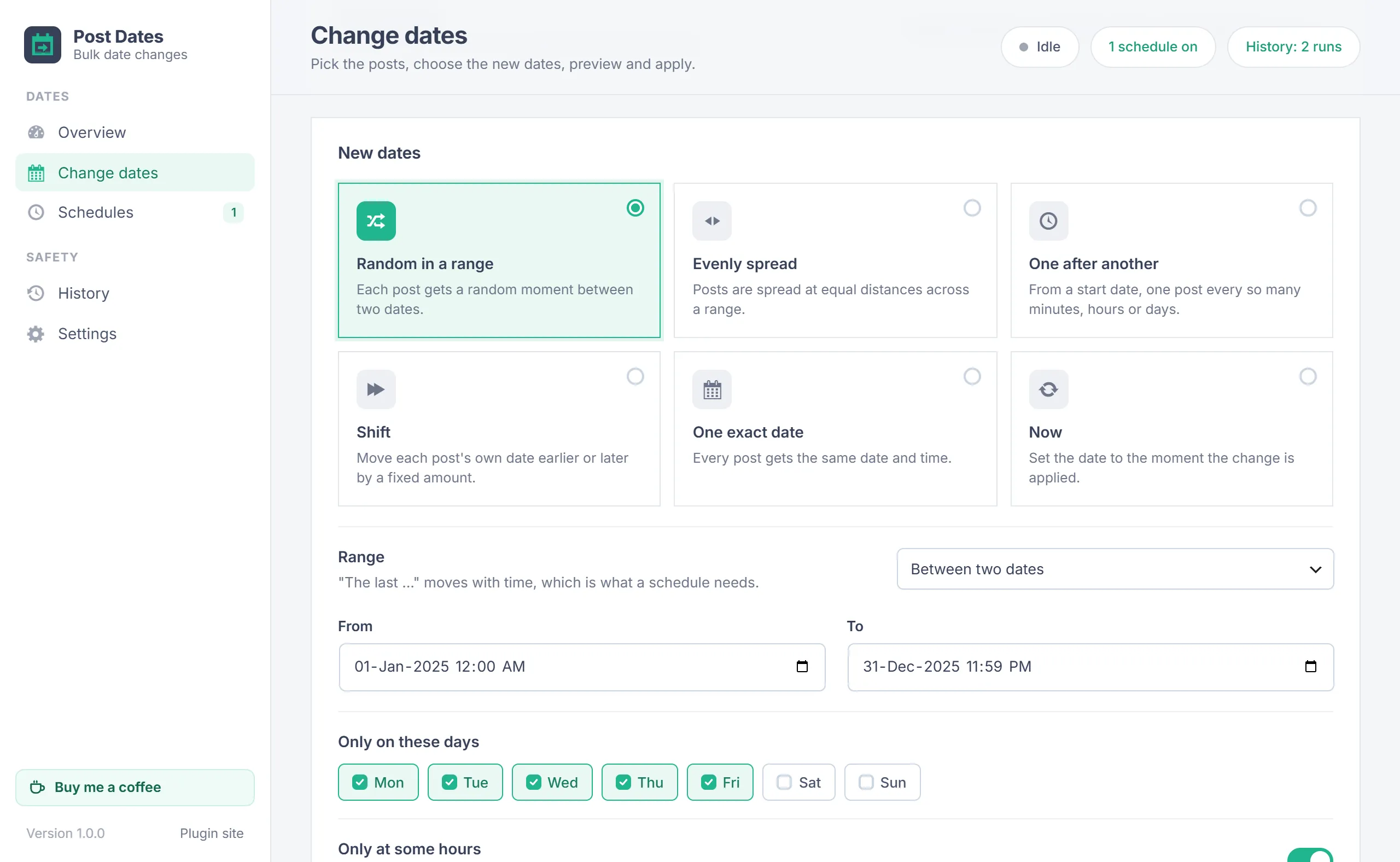
| Random in a range | Each post gets a random moment in the range. |
| Evenly spread | Posts are placed at equal distances across the range. |
| One after another | From a start date (or now), one post every so many minutes, hours, days or weeks. Forward gives the oldest post the start and goes later; backward gives the newest post the start and goes earlier. |
| Shift | Moves each post's own date earlier or later by minutes, hours, days, weeks, months or years. Months and years move by the calendar: January 31 plus one month is February 28. |
| One exact date | Every post gets the same date and time. |
| Now | The moment the change is applied. |
A range is either between two dates or the last so many hours, days, weeks, months or years. "The last ..." moves with time, which is what a schedule needs.
Days and hours
For random, evenly spread and one after another:
- Only on these days: untick Saturday and Sunday to date posts on weekdays only.
- Only at some hours: dates fall inside this time of day, in the site time zone, for example 09:00 to 18:00.
- Keep the current order: the newest post stays the newest. Off, the posts are shuffled.
- Keep each post's time of day: only the day changes.
Rules
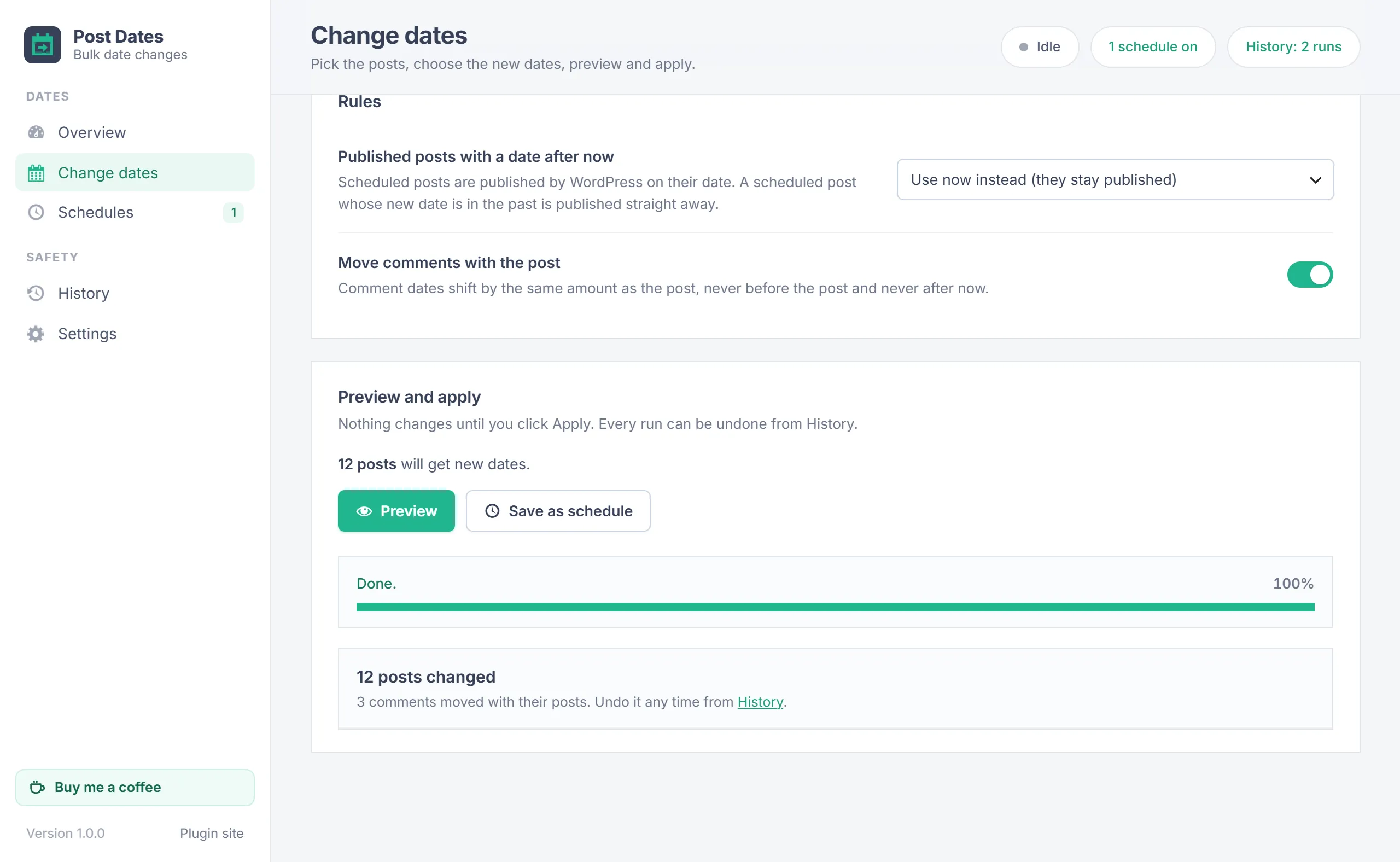
- Published posts with a date after now: choose use now instead (they stay published) or schedule them for that date, which turns them into scheduled posts that WordPress publishes on their date.
- A scheduled post whose new date is in the past is published straight away, with the usual publish hooks.
- The modified date is never before the published date and never after now.
- Move comments with the post: comment dates shift by the same amount as their post, never before the post and never after now.
Preview and apply
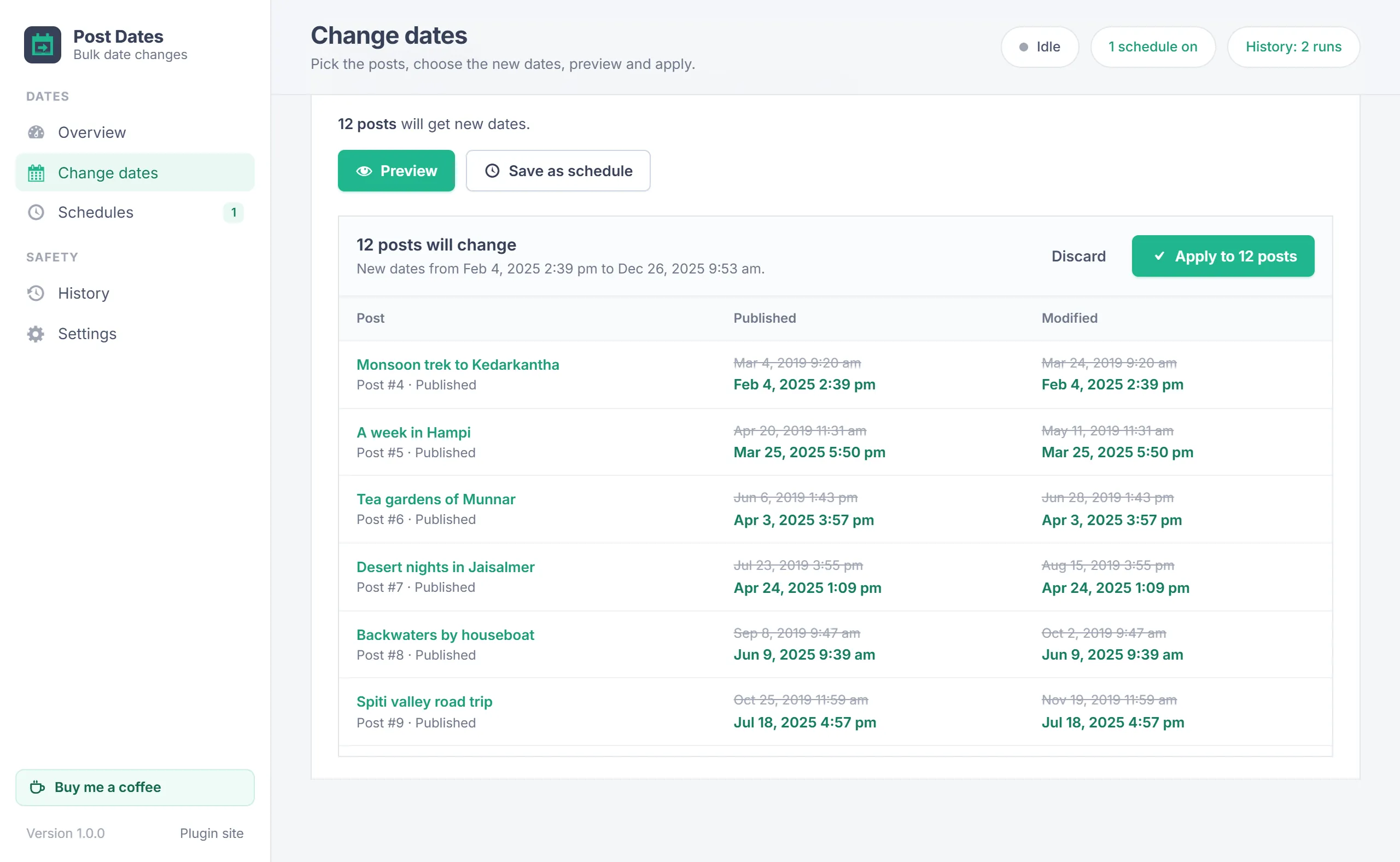
- Click Preview. The plugin lists the posts and works out every new date.
- The table shows old and new dates for up to 60 posts, spread over the whole list, plus how many posts become scheduled or published.
- Click Apply and confirm. The posts are changed in batches while a progress bar shows how far it is. Keep the tab open.
What you preview is exactly what is applied. Discard throws the preview away without changing anything.
History and undo
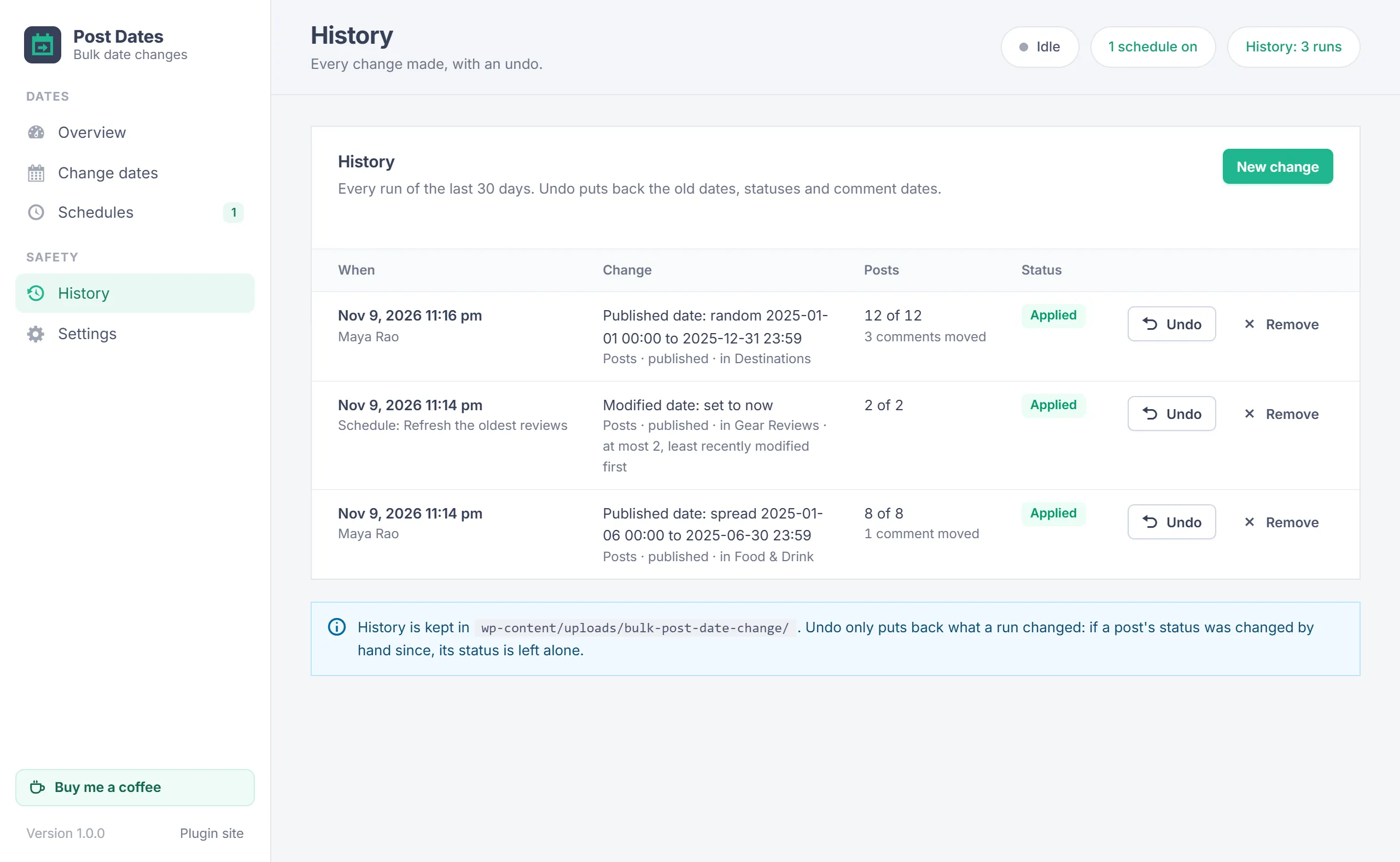
History lists every run of the last 30 days: when, who or which schedule, what it changed, how many posts and the status. Undo puts back the old dates, statuses and comment dates. When a newer run changed the same posts, undo the newer run first. Remove deletes the record (the posts keep their dates).
Schedules
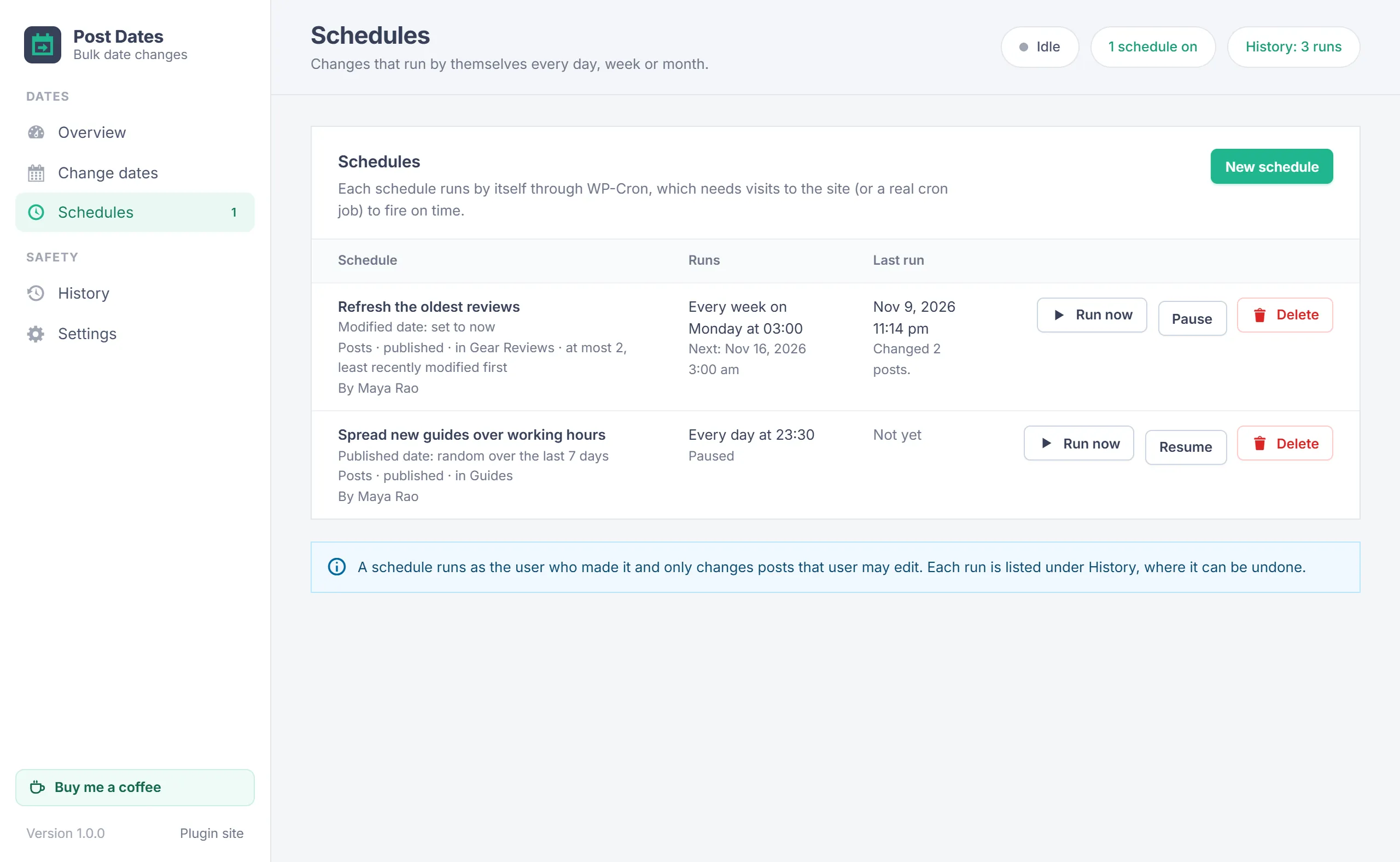
On the Change dates screen, click Save as schedule instead of Preview, give it a name and choose every day, every week on a weekday or every month on a day, at a time. Examples:
- Every Monday at 03:00, set the modified date of the 20 least recently modified reviews to now.
- Every night, spread the posts published in the last 7 days between 08:00 and 20:00 on weekdays.
A schedule uses the filters as they are when it runs, so new posts are picked up. It can only use methods that move with time (a range of "the last ...", sequence from now, shift and now). It runs as the user who made it and only changes posts that user may edit. Run now, Pause, Resume and Delete are on the Schedules screen; each run is listed under History, where it can be undone.
Settings
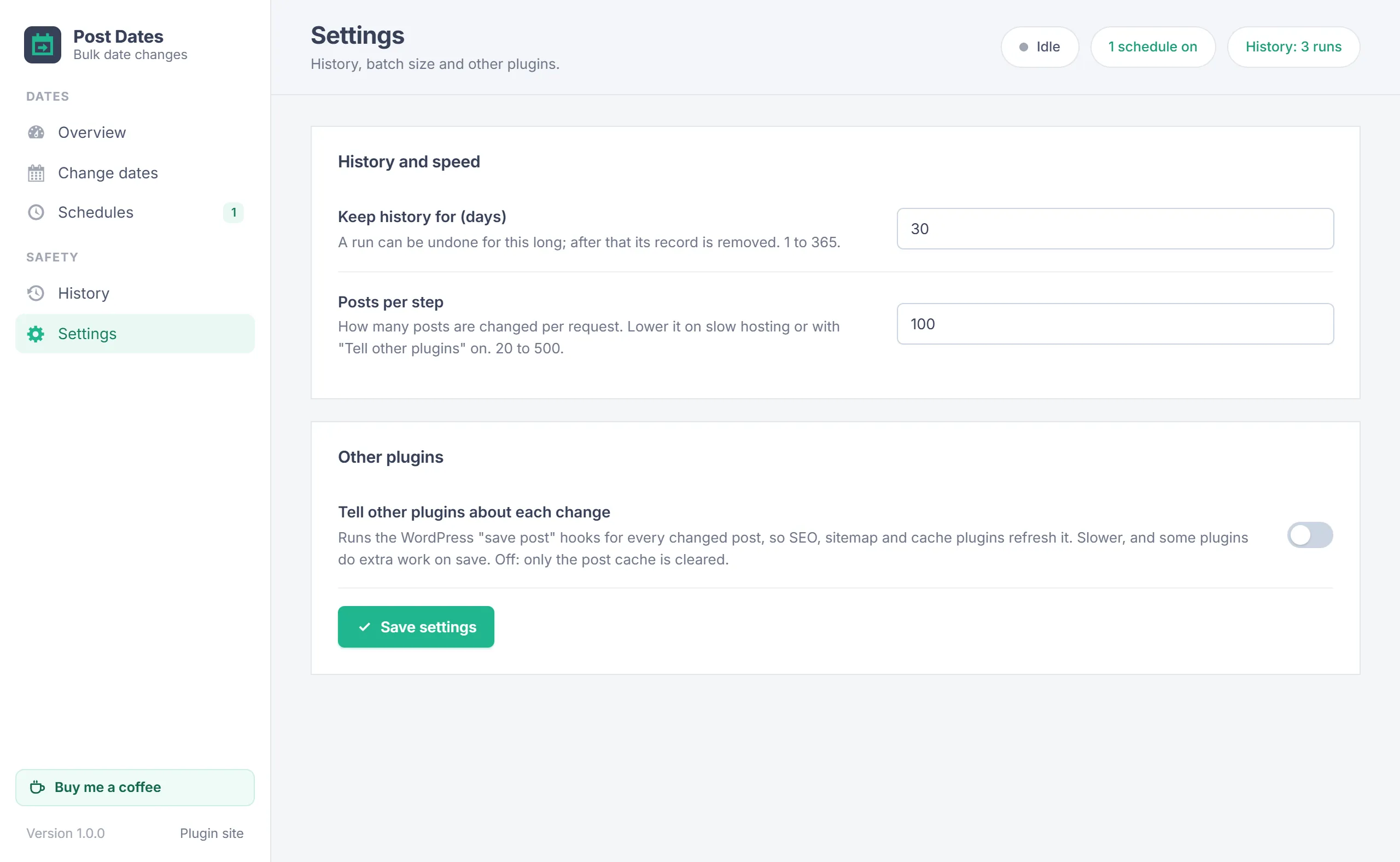
Administrators find these under Settings:
| Setting | Default | What it does |
|---|---|---|
| Keep history for (days) | 30 | A run can be undone for this long; after that its record is removed. 1 to 365. |
| Posts per step | 100 | How many posts are changed per request. Lower it on slow hosting. 20 to 500. |
| Tell other plugins about each change | Off | Runs the WordPress "save post" hooks for every changed post, so SEO, sitemap and cache plugins refresh it. Slower. Off, only the post cache is cleared. |
Your data
- Runs are stored in
wp-content/uploads/bulk-post-date-change/, each in a folder with a long random name. The folder blocks direct access on Apache and IIS and has no index. - Dates are written straight to the posts table, so WordPress does not overwrite the modified date with the current time.
- Settings and schedules are kept in two options. The plugin adds no database tables.
- It adds nothing to the front end, sends no data anywhere and loads no external files.
- Deleting the plugin removes its settings, schedules and history. Your posts keep their current dates.
Troubleshooting
| Problem | What to do |
|---|---|
| Fewer posts changed than matched | Posts the user may not edit are skipped, and posts whose new date equals the old one are left alone. |
| Post addresses changed | Your permalink structure contains the date. Undo the run, or check your links. |
| A schedule did not run on time | WP-Cron fires when someone visits the site. On a quiet site, set up a real cron job that calls wp-cron.php. |
| "This run is being driven in another browser tab" | Only the tab that started a run can drive it. Use that tab, or wait until it finishes. |
| Undo is not offered | The run is older than the history keep time, or it was removed. |
| A SEO or sitemap plugin still shows old dates | Turn on Tell other plugins about each change under Settings, or clear that plugin's cache. |
Changelog
- 1.0.0 (November 9, 2026): First release: Change dates in every post list and by filter, published or modified dates, six date methods with weekdays and hours, preview, undo from History, correct scheduled and published statuses, comments moved along, schedules, and batches for big sites.
Need help?
Questions about setup or a feature request? Contact us on our support page. You can also download the latest version (v1.0.0) here.