


This guide covers installing and running ImageHost (version 1.1.1), a free PHP script for your own image hosting website. Use it for your first install, as a reference for every admin screen, and to connect your own code through the upload API.
Free and open source
ImageHost is released under the GNU GPL version 3, free for personal and commercial sites. The license adds one term under section 7(b): the Developed by Quintaphon Services credit in the public footer must stay visible. The full text is in LICENSE.txt.
Overview
A visitor uploads an image and gets a share page such as https://img.example.com/i/XXt9uKT, a direct link and ready-made embed codes. Members keep their images in albums and can upload from their own tools with an API key. The admin area runs on its own address with its own sign in.
- Public pages: upload, image page, Explore gallery, random image, members, member galleries, tools, contact, report, DMCA, and the About, Terms and Privacy pages.
- Members: My images with albums and bulk actions, account settings with two-factor sign in, API key and ShareX setup.
- Admin (default
/admin/login): dashboard, images, bulk tools, members, DMCA, inbox, bans, settings, pages, SEO, permalinks, storage, security, database, updates, maintenance and logs. - No dependencies: plain PHP with PDO, so it runs on shared hosting with SQLite or on a VPS with MySQL.
What ships in the package
index.php: the front controller that handles every page.app/: the code (routes, templates, database layer). Blocked from the web by.htaccess.assets/: CSS, JavaScript and the Inter font.storage/: the SQLite database, cache, logs, sessions and backups. Blocked from the web.uploads/: the images, inYYYY/MMfolders. Scripts cannot run here..htaccess,robots.txt,main-sitemap.xsl(sitemap styling),router.php(for PHP's built-in server),README.mdandLICENSE.txt.
The installer writes config.php in the site folder. It holds the database details and a secret key, so it is never in the ZIP and you should never share it.
Requirements
| Item | Needed |
|---|---|
| PHP | 8.1 or newer (tested on 8.1 to 8.5) |
| PHP extensions | pdo_sqlite or pdo_mysql, gd, mbstring |
| Recommended | curl (URL uploads, captcha, R2), exif (turns photos upright), GD with WebP, zip (updates and ZIP imports) |
| Database | SQLite (nothing to set up) or MySQL / MariaDB |
| Web server | Apache with mod_rewrite, LiteSpeed / OpenLiteSpeed, or Nginx (see Nginx) |
| HTTPS | Strongly recommended for any public site |
Without URL rewriting every page still works as index.php?r=..., so you can test on any server first.
Install
- Download imagehost.zip and unzip it.
- Upload the contents of the
imagehostfolder to your web root, or to a sub folder such as/images/. The.htaccessfile finds the sub folder by itself. - Make
storage/(with its sub folders) anduploads/writable by PHP, and the site folder writable once so the installer can createconfig.php. - Open your site in a browser. The installer checks PHP and the folders, then asks for the database: pick SQLite for zero setup, or MySQL and enter the host, database name, user and password.
- Enter the site name, site address and your main admin account. The installer creates the tables and signs you in.
Reinstall
Delete config.php (and the old database tables or the SQLite file in storage/), then open the site again.
After setup
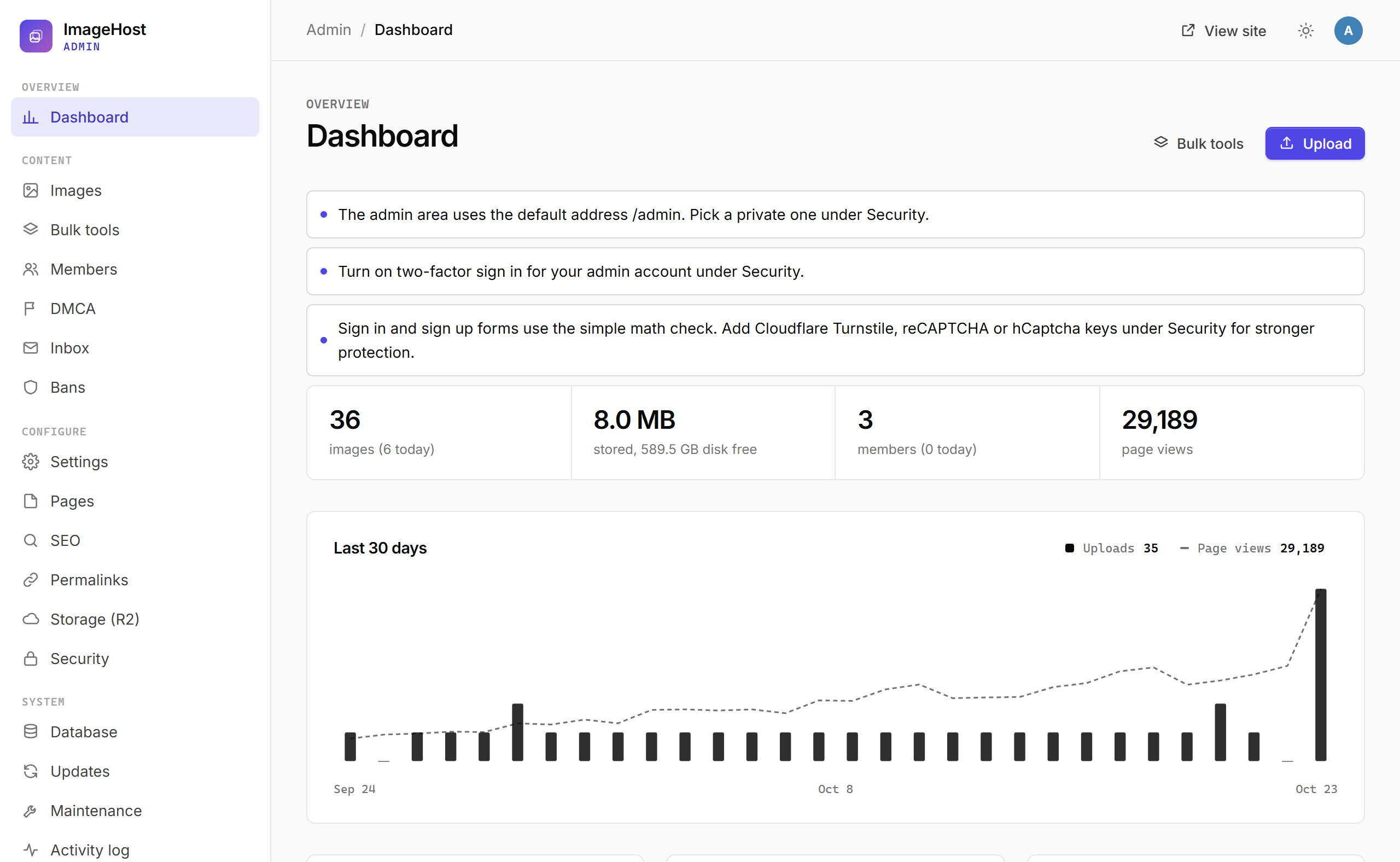
The admin dashboard lists anything that still needs attention. Work through these first:
- Settings > General: check the site address (every link and email is built from it), name, tagline and accent colour.
- Settings > Mail and forms: pick PHP mail or SMTP and send a test email. Password resets, sign-in codes and DMCA replies need working mail.
- Security: move the admin to a private address, turn on two-factor sign in, and add Cloudflare Turnstile, reCAPTCHA or hCaptcha keys.
- Settings > Uploads: set file size limits, uploads per hour and per day for guests and members, and allowed types.
- Raise PHP
upload_max_filesizeandpost_max_sizeif you want bigger uploads than the server allows. The dashboard warns when they are lower than your limits.
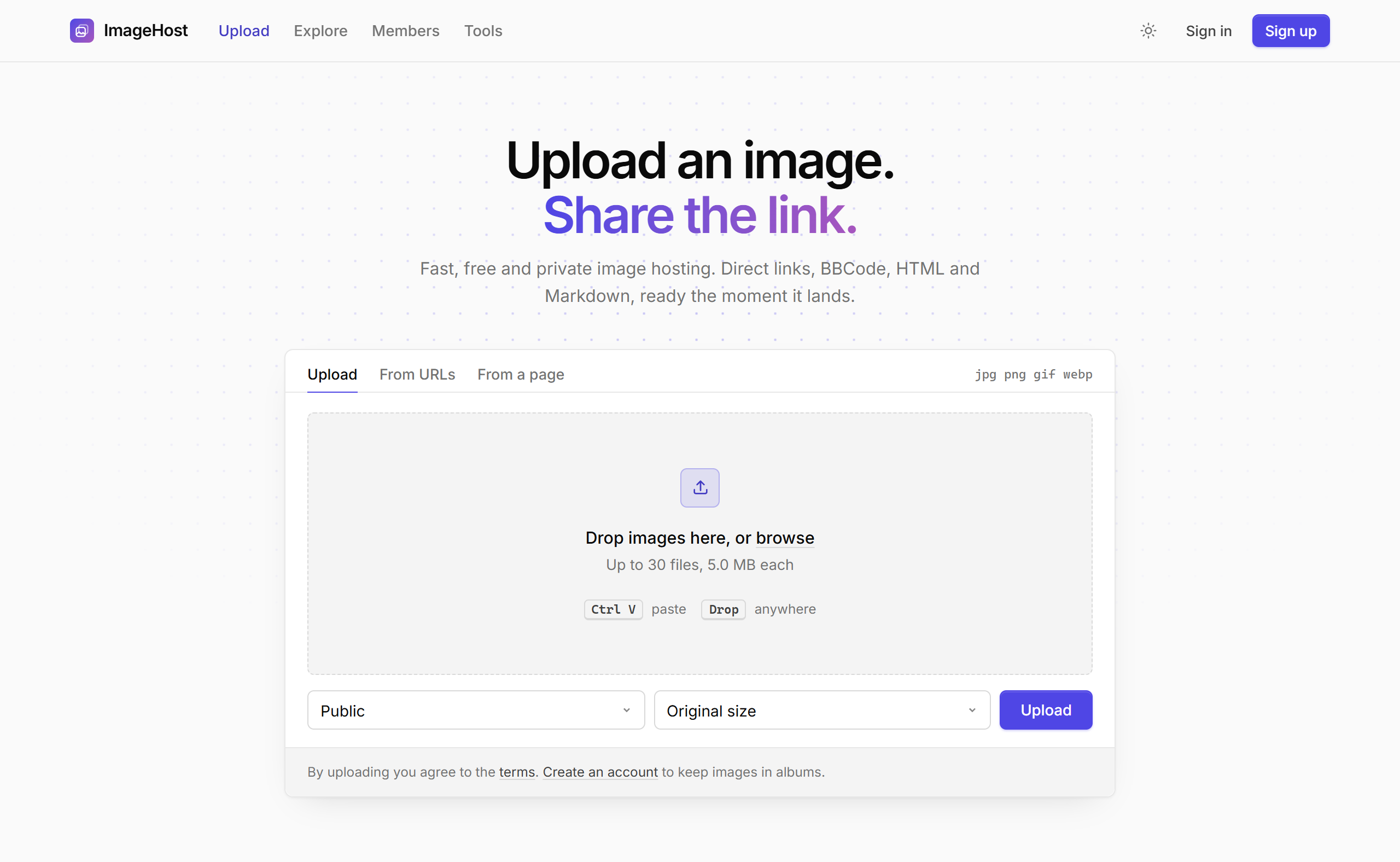
Public site
The homepage is the uploader. Visitors drop images, browse for them, paste a screenshot with Ctrl+V, add a list of URLs, or scan a web page and tick the images to copy. Before uploading they choose public or private and an optional resize preset.
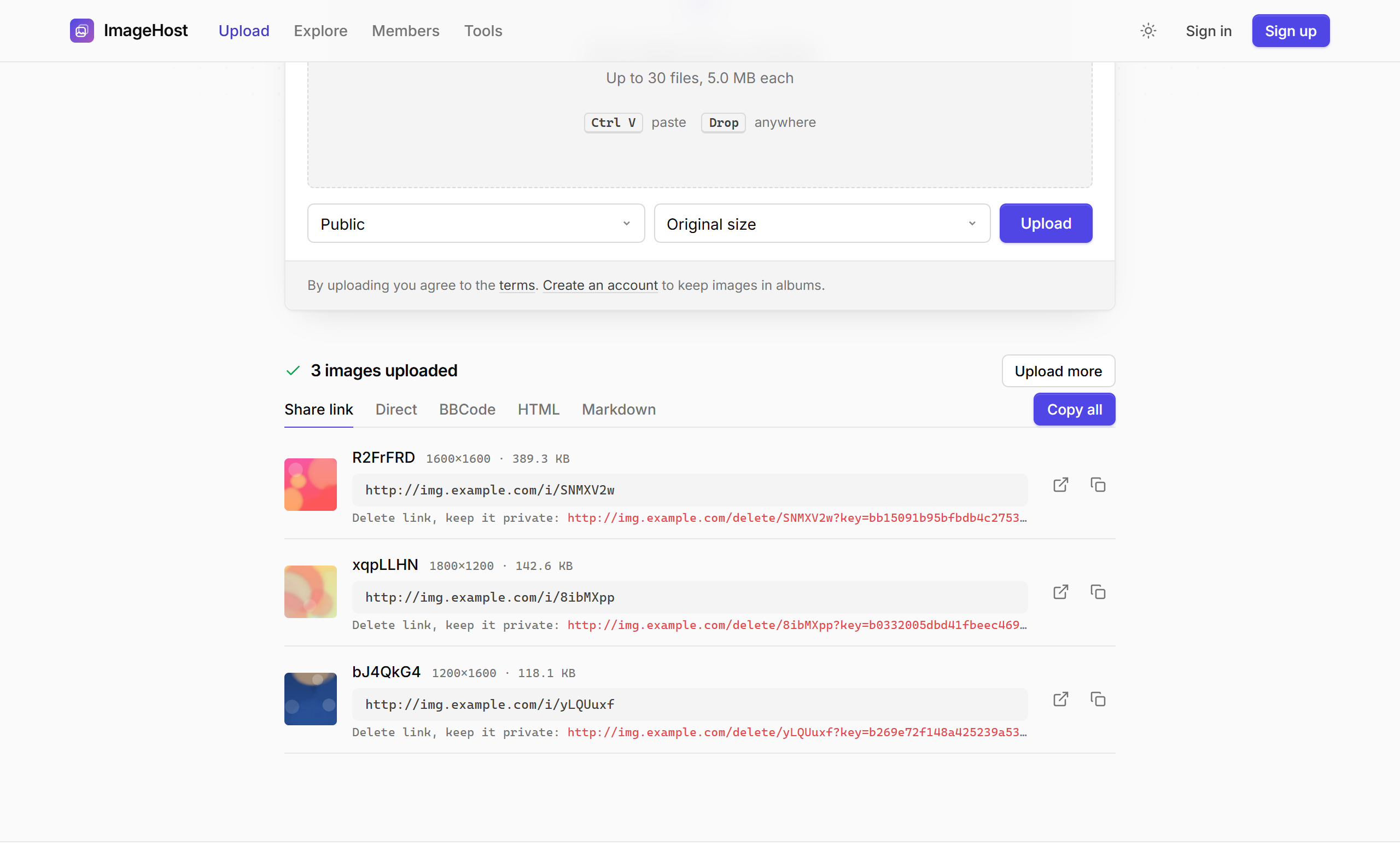
When the uploads finish, each image shows its share link, a copy button and, for guests, a private delete link. Tabs switch between share links, direct links, BBCode, HTML and Markdown, and Copy all copies every link at once.
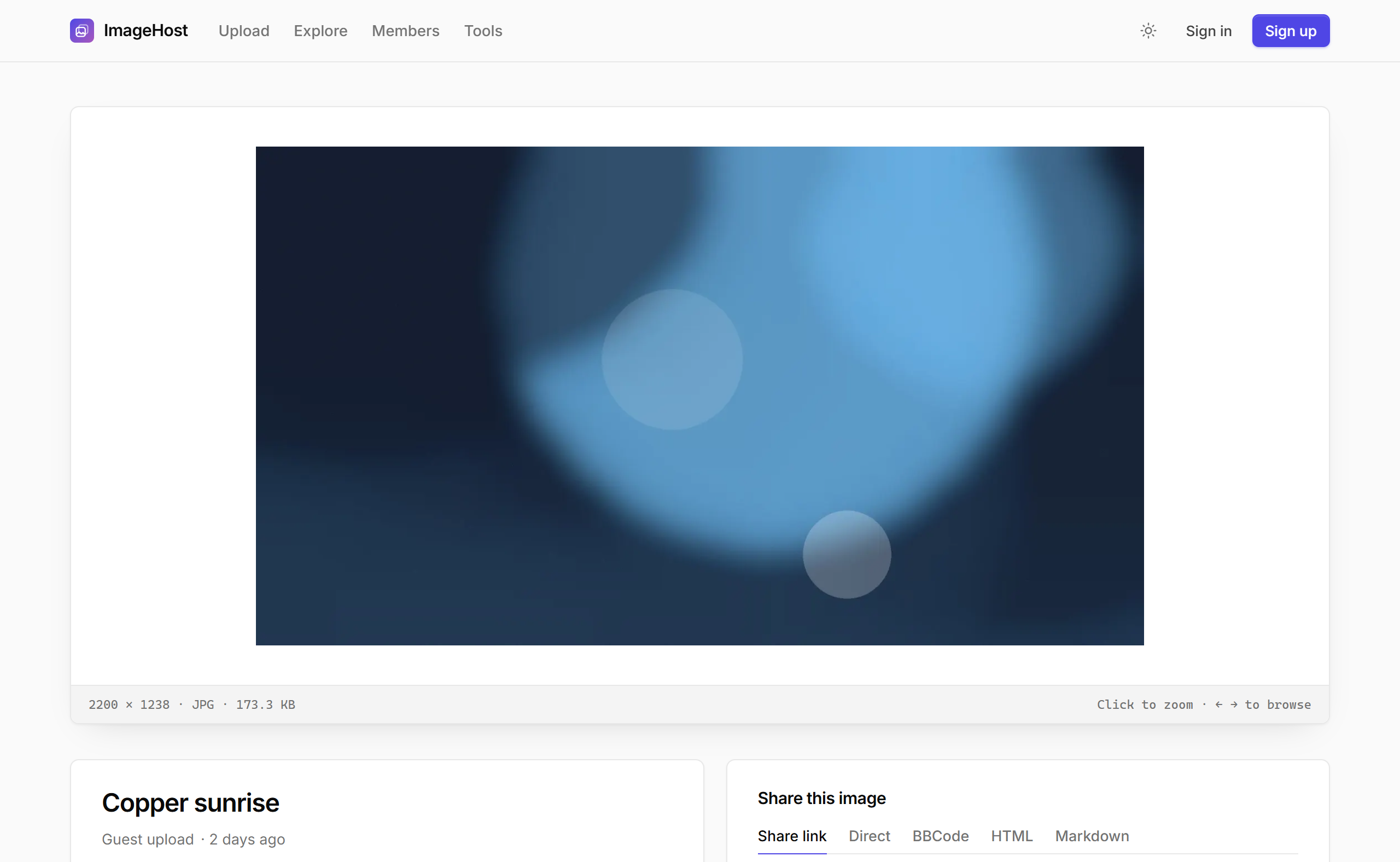
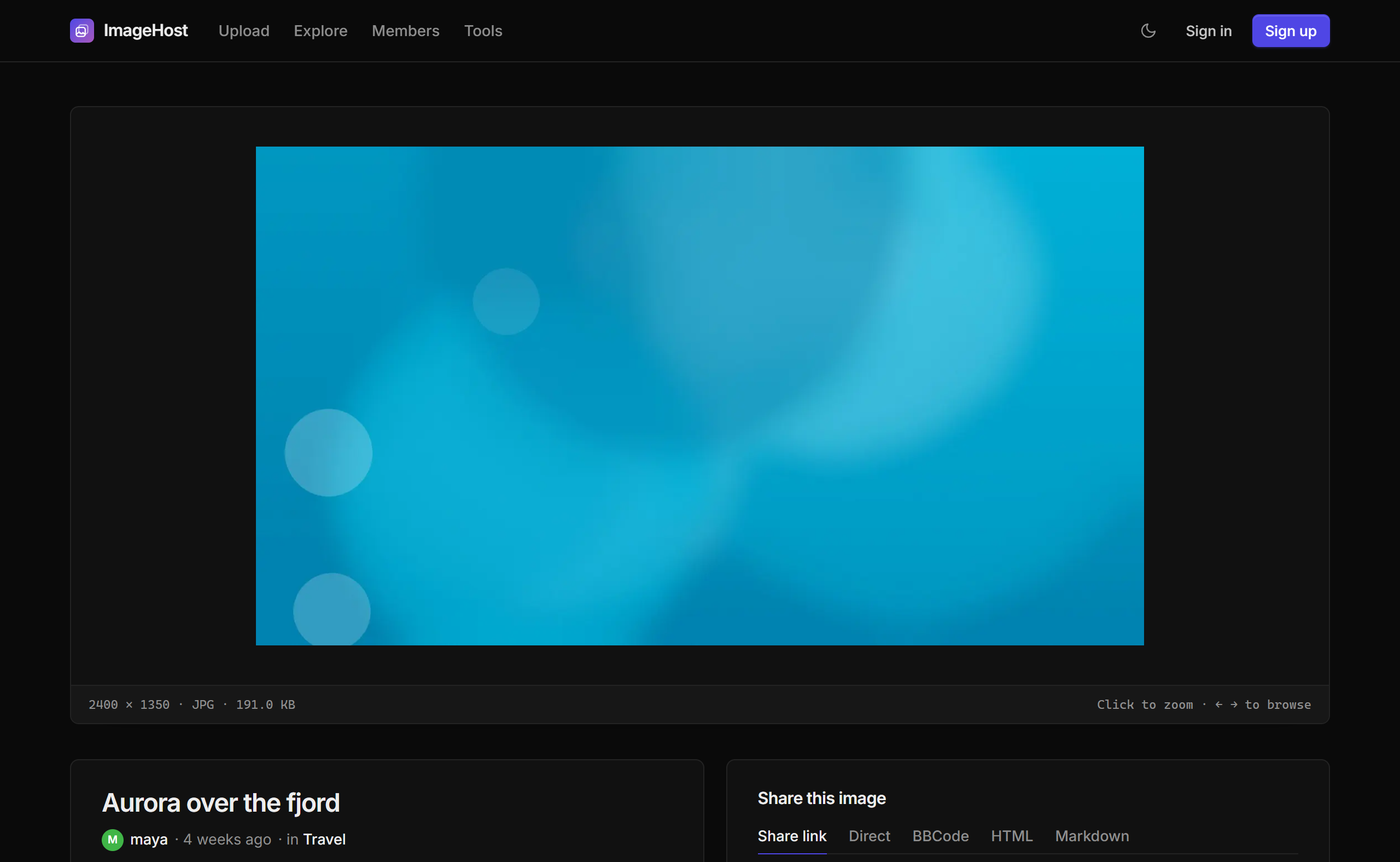
The image page shows the picture with zoom (only when it is bigger than the frame), size, type, owner and album, star ratings, and a share box with every link format. Arrow keys move to the previous and next image.
Explore lists public images by newest, top rated or most viewed. Private images, images in private albums and images of private profiles never appear there, in the random image or in sitemaps.
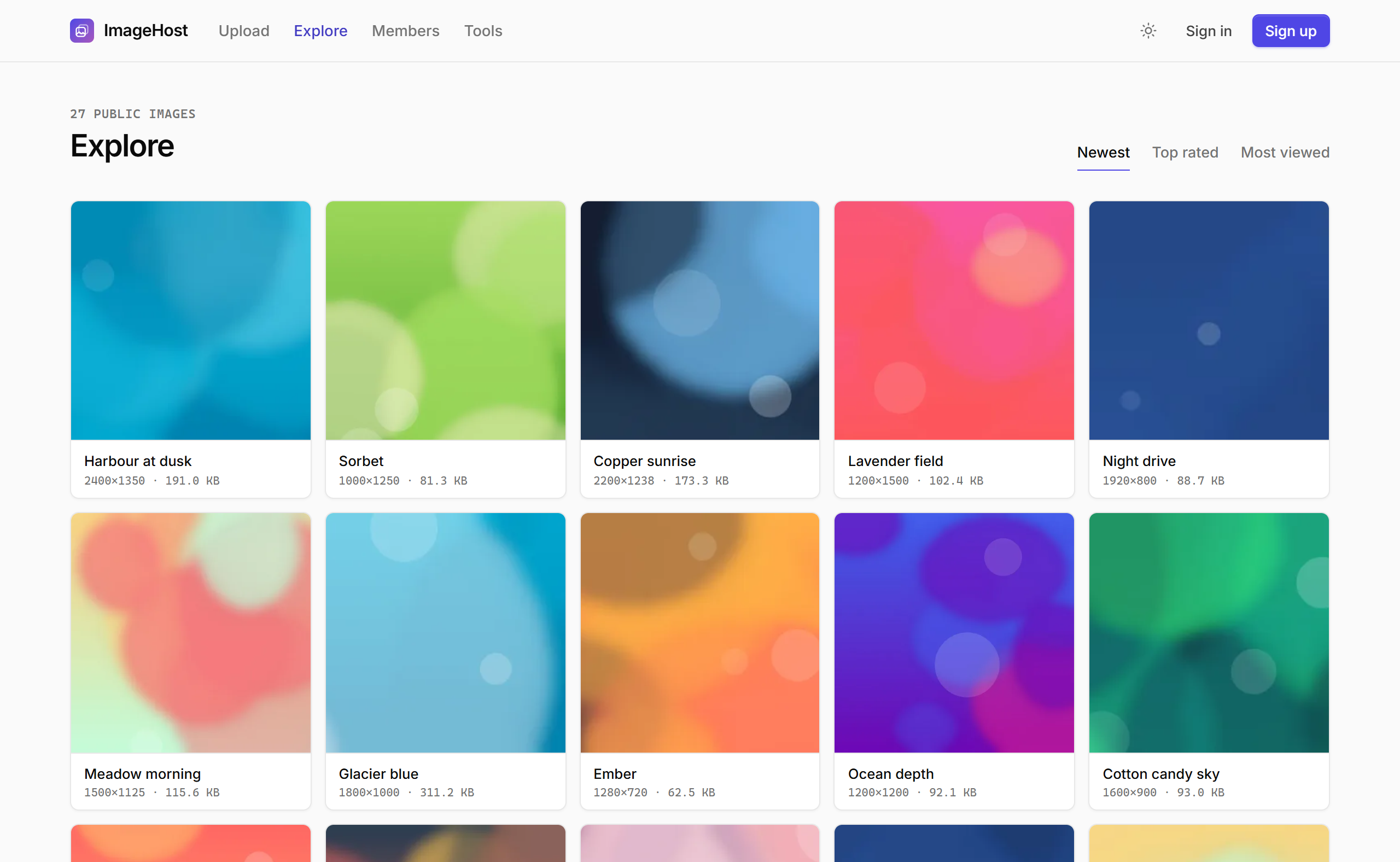
Every public page follows the visitor's light or dark preference, and the sun and moon button switches it.
Members
Visitors can create an account (you can turn registration off). Members sign in with their username or email and get:
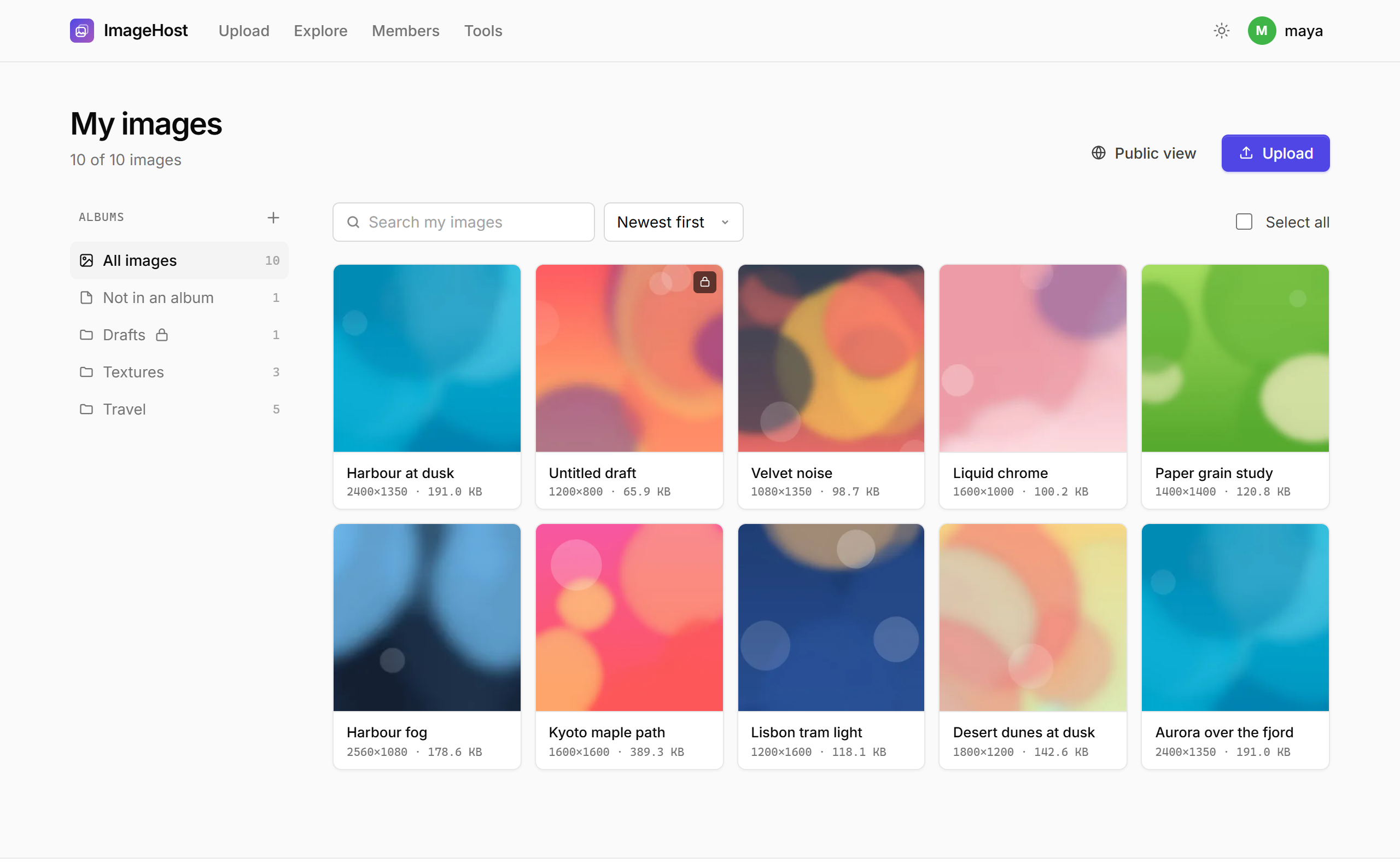
- My images: search, sort, albums (public or private), and bulk move, make private or public, copy links or delete.
- A public profile at
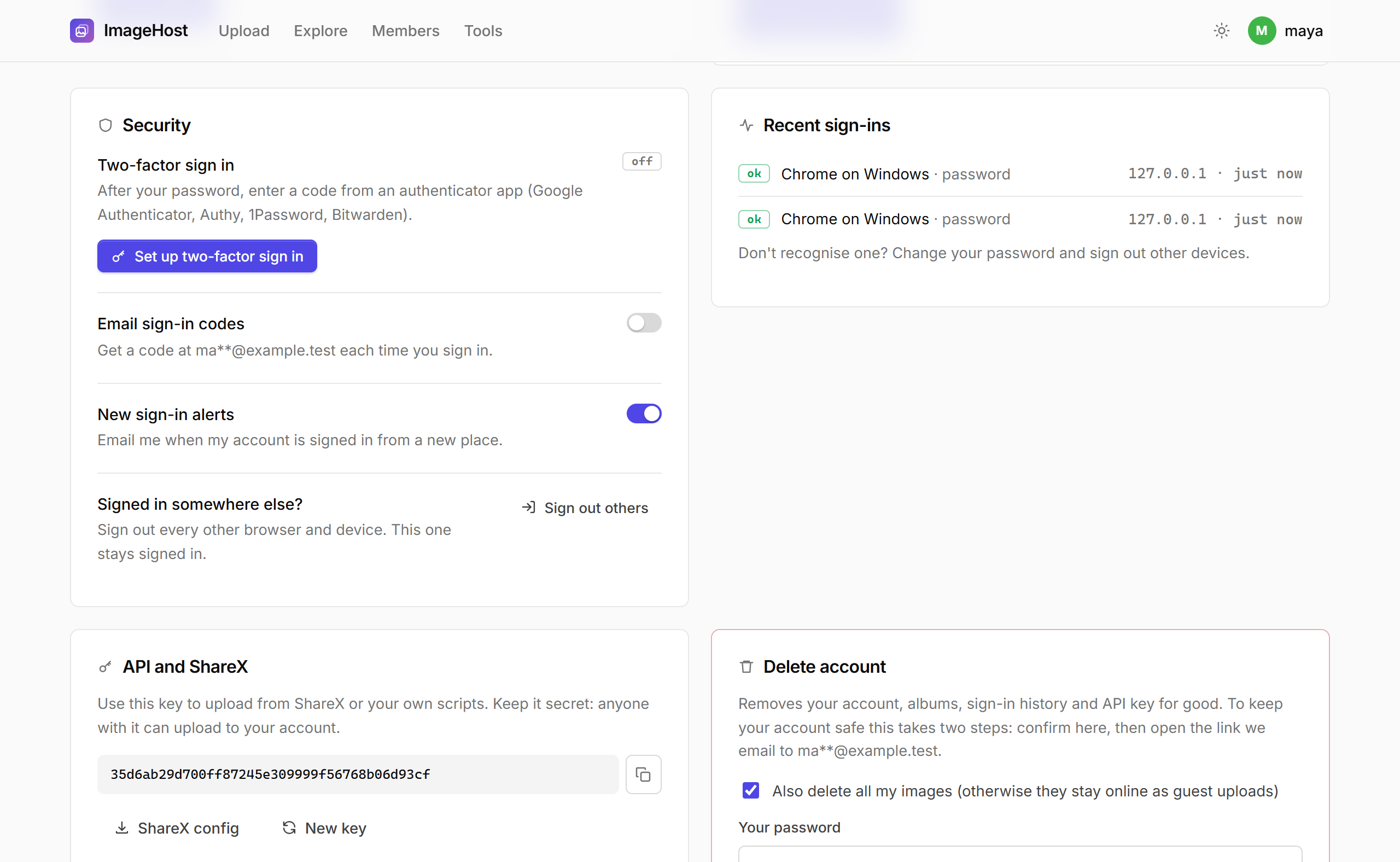
/u/namewith their public images. Members can make their profile private, which also removes them from the Members page. - Account settings: email, password (with a strong password generator), two-factor sign in, emailed sign-in codes, new-device alerts, the last 7 sign-ins, sign out of other devices, the API key and ShareX setup.
- Delete account: needs the password, the two-factor code when it is on, typing DELETE, and then a confirmation link sent by email. Members choose whether their images are deleted or stay online as guest uploads.
Admin panel
The admin area is separate from the member side: it has its own sign in at /admin/login (or your private address), its own session and its own layout. Signing in as a member never gives admin rights. Signing in as an admin also signs you in on the site, so you do not have to sign in twice.
| Page | What it does |
|---|---|
| Dashboard | Totals, 30-day chart, latest uploads, new members, unread messages and setup warnings. |
| Images | Search by code, title, owner, IP or storage. Bulk delete, delete and block re-upload, change privacy, ban the uploader's IP, move to R2, export CSV. |
| Bulk tools | Upload any number of images, import a ZIP or a server folder (storage/import), and delete by filters (age, owner, IP, views, size, type, visibility) with a preview first. |
| Members | Add, edit, change role, reset a password or 2FA, ban (with IP), delete with or without images, bulk actions, CSV export. |
| DMCA | Takedown notices with status and notes. Remove the images, block the exact files from coming back, and reply to the claimant by email. |
| Inbox and Bans | Contact messages and abuse reports (with one-click delete of reported images), and IP or member bans. |
| Settings, Pages, SEO, Permalinks | See Settings and SEO and permalinks. |
| Storage, Security | See Cloudflare R2 and Security. |
| Database | Optimize, check, repair and analyze tables, see table sizes, and download a backup (SQLite file or SQL dump). |
| Updates | See Update. |
| Maintenance | Rebuild thumbnails, run the scheduled jobs, remove missing files, delete stray files, recount totals and clear caches. |
| Logs | Activity log (admin sign ins and changes), error logs, robot logs, mass email and system info. |
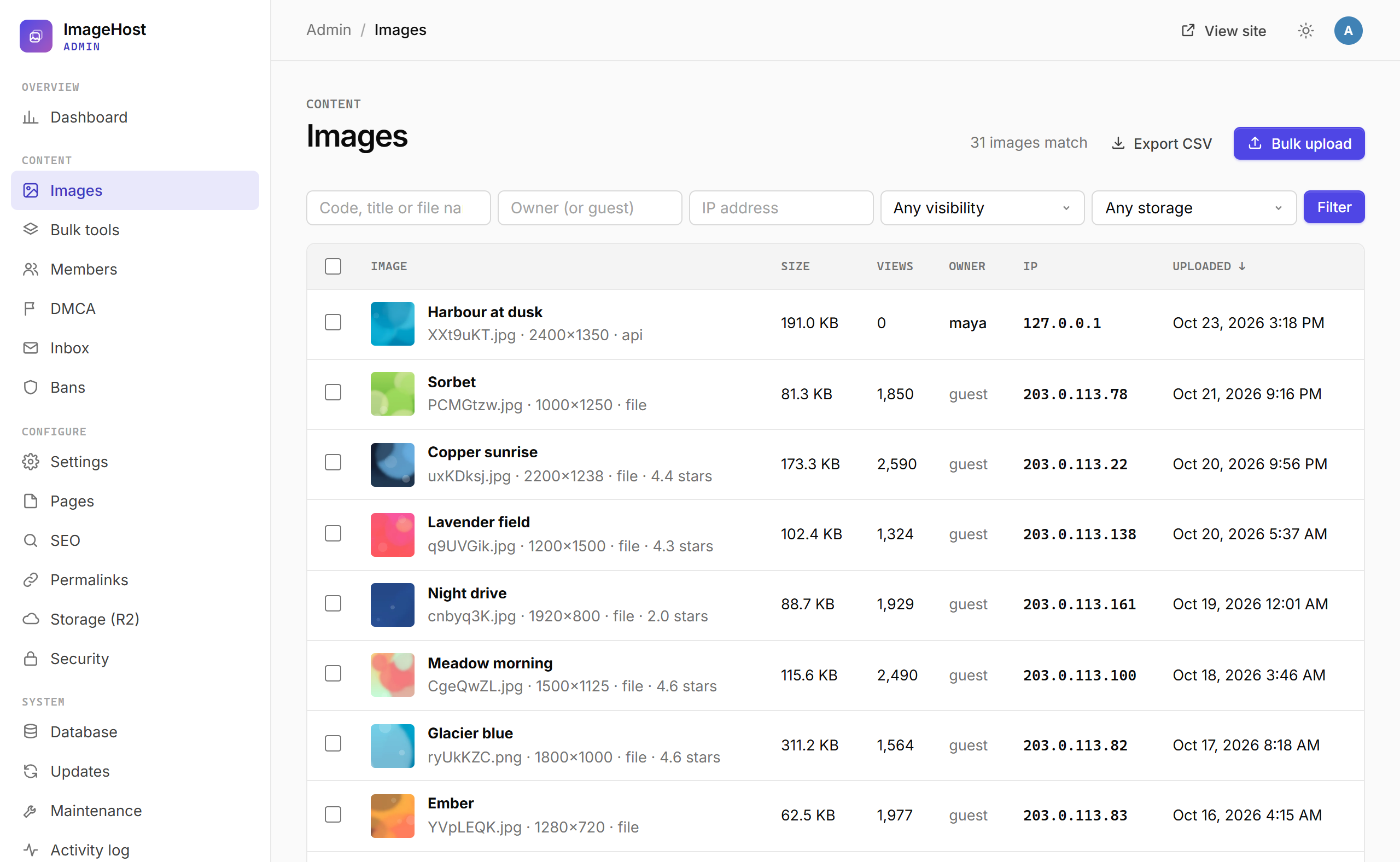
Only the main administrator (the account made at install) can change mail server details, the site address, security settings, storage, pages and roles, read the error logs, or install updates. Other administrators can moderate content and members.
Settings
| Tab | Settings |
|---|---|
| General | Site name, tagline, site address, accent colour, time zone, date format, images per page, footer text, URL style, favicon, social links (up to 6, reorderable), announcement bar, maintenance mode. |
| Uploads | File size for guests and members, files per upload, maximum dimensions, uploads per hour and per day, delete old guest uploads, URL uploads and web page scan. |
| Images | Allowed types, thumbnail size, format and fit, info bar, preview size, strip EXIF, private by default, serve images through PHP (with bandwidth caps). |
| Access | Guest uploads, registration, public gallery, member list, ratings, random image, guest delete links, the API. |
| Mail and forms | Mail transport (PHP mail, SMTP or a log file for testing), SMTP server, sender address, test email, contact and DMCA forms. |
| Ads & files | Ad code above and below the image on image pages (optionally hidden for members) and the ads.txt editor. |
| Advanced | Minified HTML for public pages, how long logs are kept (72 hours by default), robot logging and other fine-tuning. |
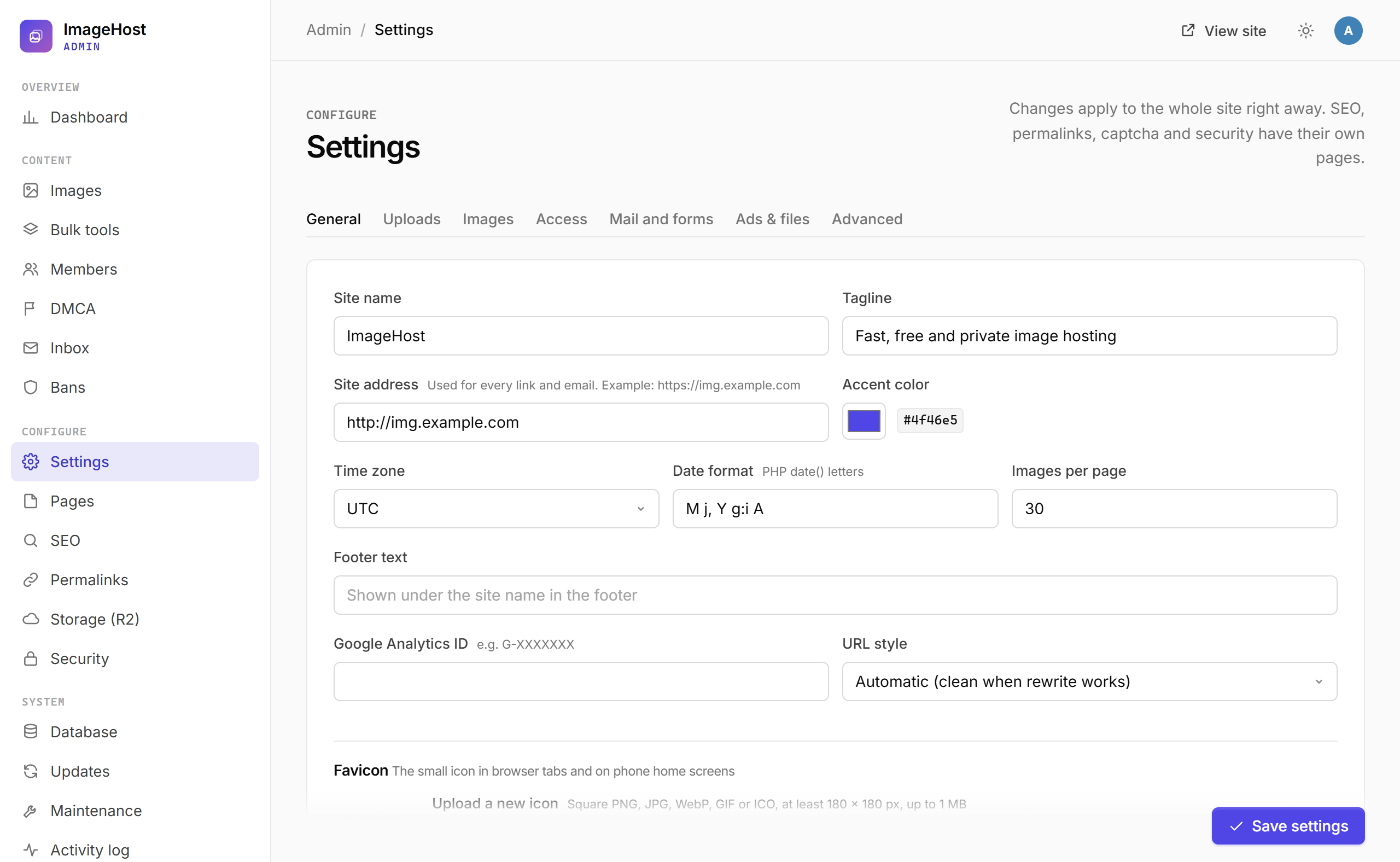
Pages edits the About, Terms of service and Privacy policy pages with a visual editor or as HTML.
Security
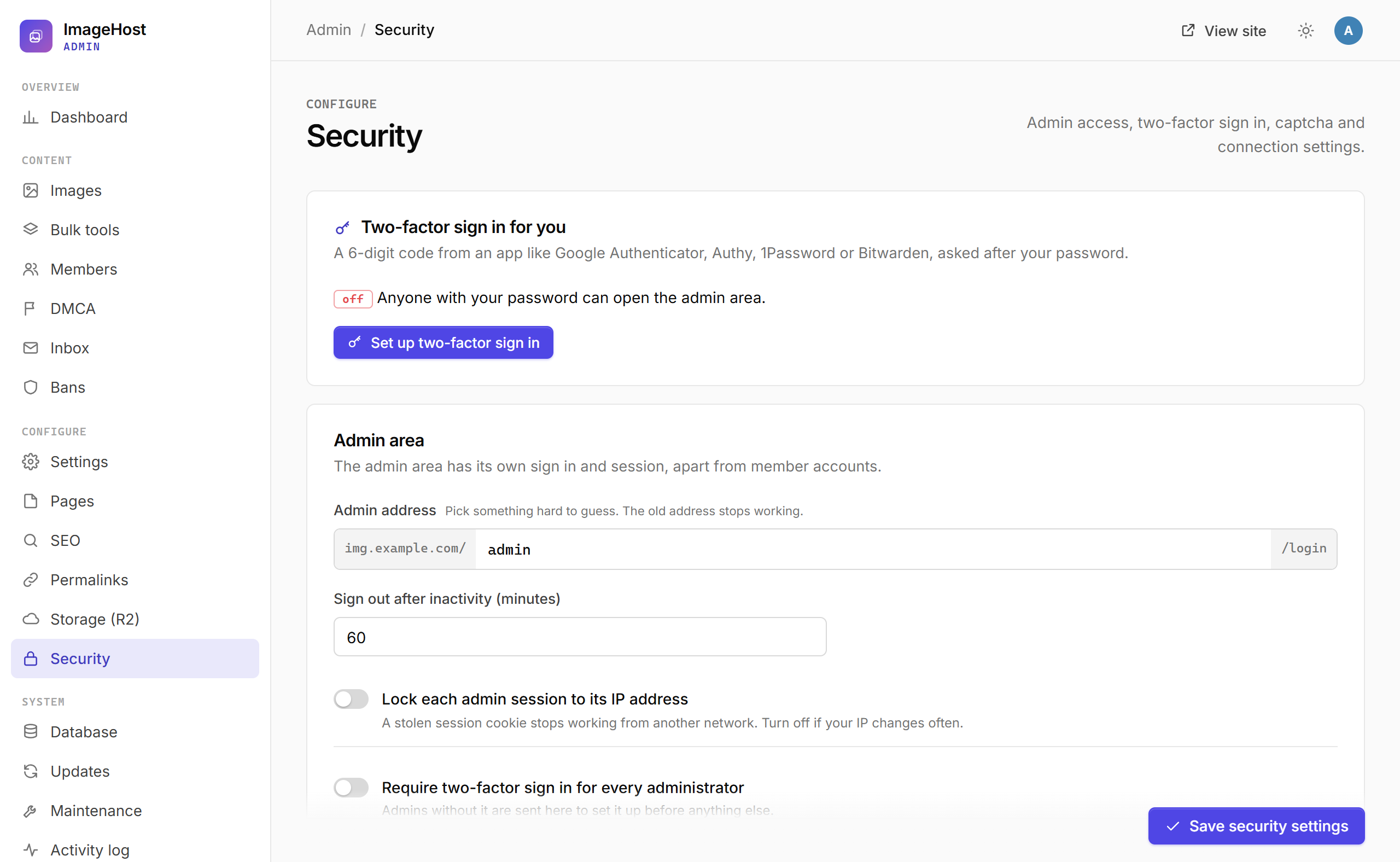
- Private admin address: change
/adminto something only you know. The old address returns 404. - Two-factor sign in: scan the QR code with Google Authenticator, Authy, 1Password or Bitwarden and keep the 8 recovery codes. You can require 2FA for every administrator.
- Emailed sign-in codes for admins and members. They can only be switched on after a test email went out.
- Sessions: idle timeout, sessions tied to the IP address, an admin IP allow list, and "sign out all admins".
- Captcha: Cloudflare Turnstile, Google reCAPTCHA v2, hCaptcha or a built-in math check, switchable per form (member sign in, register, forgot password, admin sign in, contact, report, DMCA).
- Lockout after failed sign ins (per IP and per account), minimum password length, force HTTPS, security headers, and the visitor IP source (direct, Cloudflare or a proxy).
Locked out?
Add 'admin_ip_allow_off' => true, (ignores the IP allow list) or 'disable_2fa' => true, (skips the admin two-factor code) to the array in config.php, sign in, fix the setting, then remove the line again.
Behind the scenes: prepared statements everywhere, escaped output, CSRF tokens on every form and API call, hashed passwords, rate limits that hold under parallel requests, authenticator codes that cannot be reused, uploads checked by content with a pixel limit, and URL uploads that cannot reach private or internal addresses.
SEO and permalinks
SEO sets the homepage title, the title format for other pages ({title} and {site}), descriptions, keywords, a default share image, your X account, Google and Bing verification, a no-index switch and the robots.txt file.
sitemap.xml is an index of pages.xml, images-1.xml, images-2.xml and so on, and members-1.xml, with up to 1,000 entries each. Private images, images in private albums and private profiles are never listed. The sitemaps are styled by main-sitemap.xsl so they are readable in a browser.
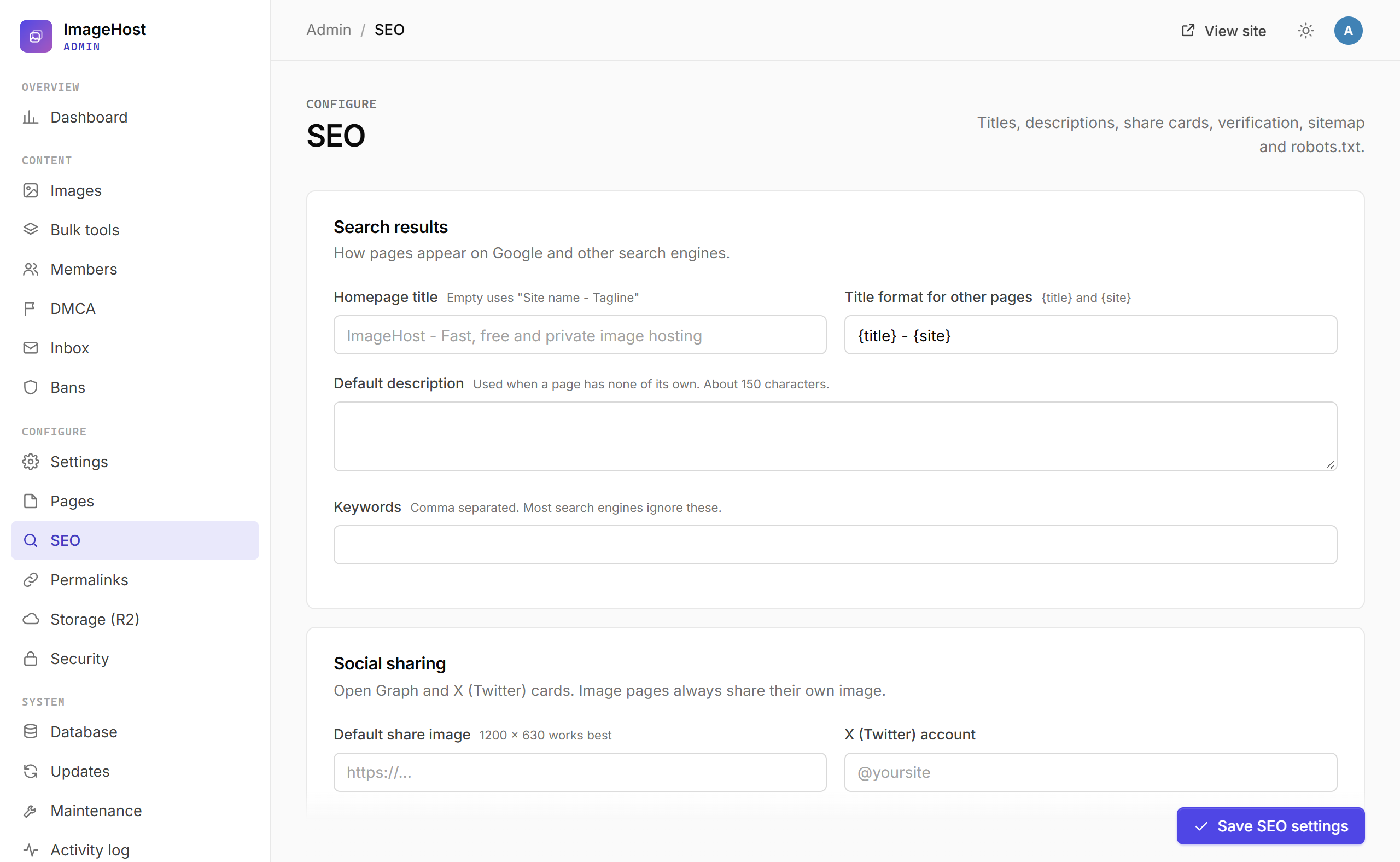
Permalinks renames the public addresses (image page, profile, gallery, members, download, tools, pages, contact, report, DMCA) and the image code length. Old addresses redirect with a 301.
Cloudflare R2
- In the Cloudflare dashboard, open R2 and create a bucket.
- Turn on public access (an
r2.devaddress) or connect a custom domain such ascdn.example.com. - Create an R2 API token with Object Read and Write for that bucket.
- In Admin > Storage, enter the account ID, access key ID, secret access key, bucket name and the public bucket address (it must start with
https://), then press Test the connection. - Turn on Offload new uploads to R2. Choose whether to keep local copies too.
- Use Move existing images to R2 to copy older images to the bucket in batches.
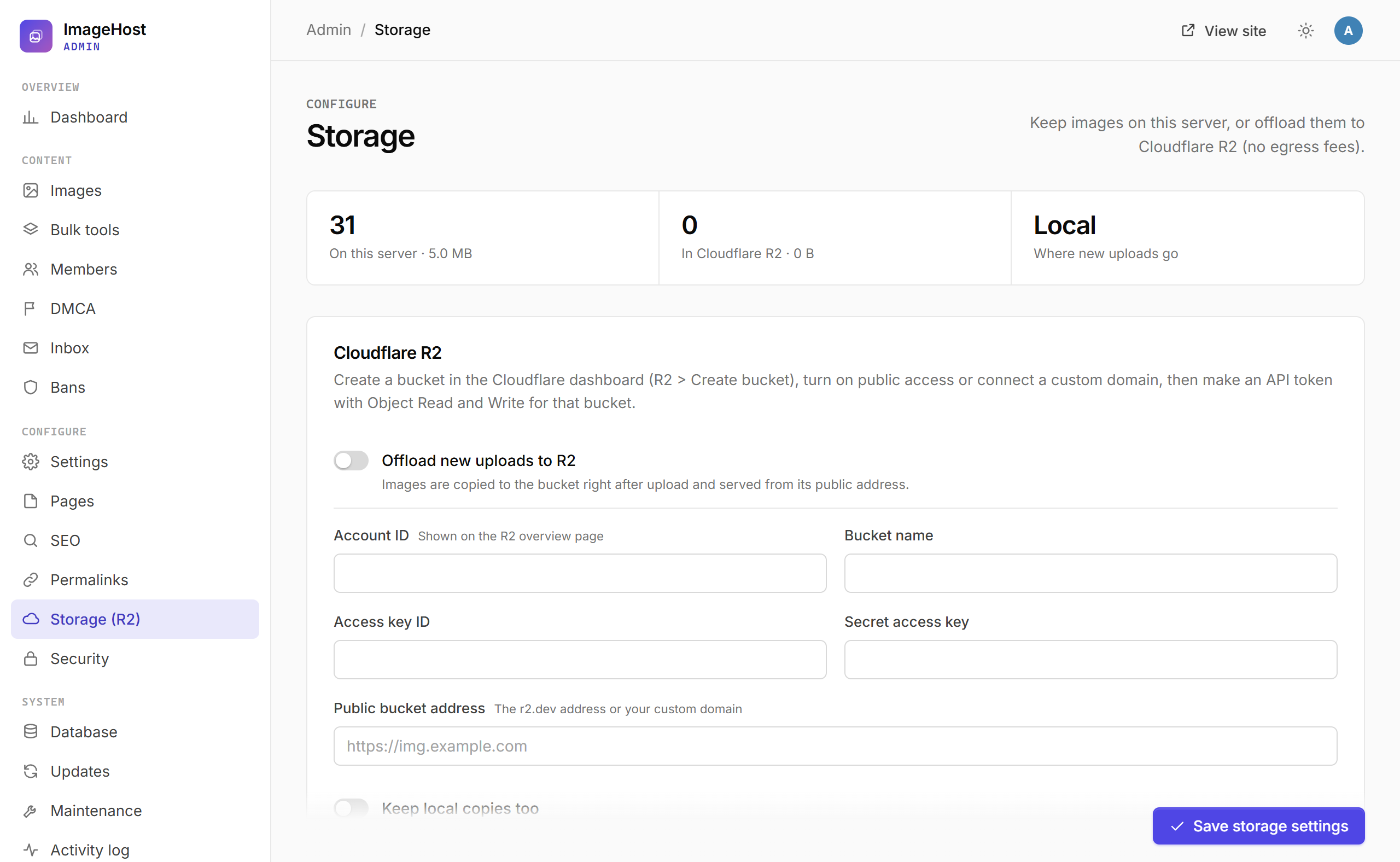
Image links then point to the bucket address. Deleting an image also deletes it from the bucket.
Scheduled jobs
Every hour, ImageHost deletes guest uploads older than your limit (when set), clears logs older than 72 hours (Settings > Advanced), and removes expired rate limits, links and temp files. By default this runs by itself after a page view. For exact timing, call the secret cron address shown under Maintenance from a real cron job:
*/15 * * * * curl -s https://img.example.com/cron/your-secret-token > /dev/nullUpdate
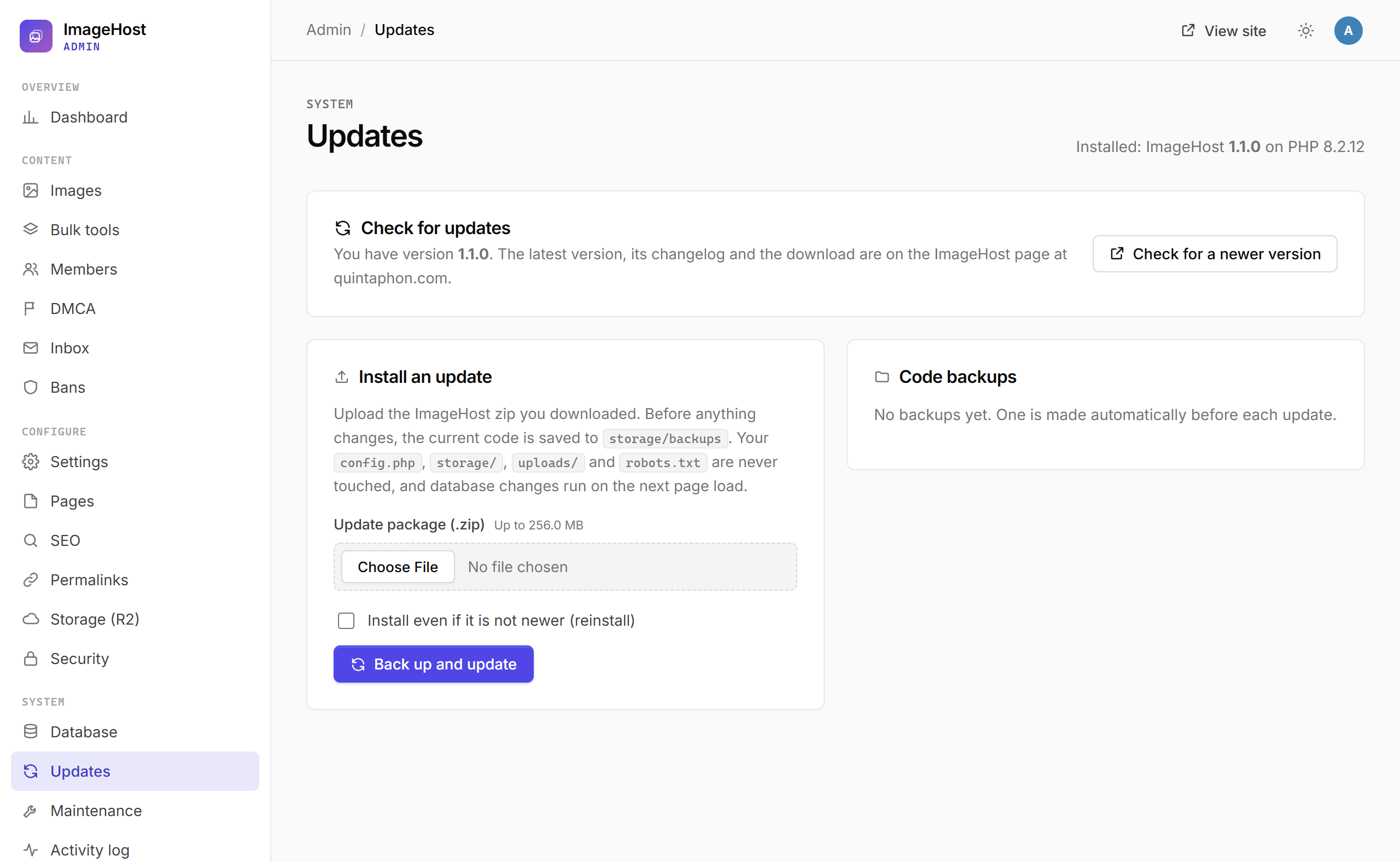
Admin > Updates shows your version and a Check for a newer version button that opens this script's page. To update:
- Download the new
imagehost.zip. Do not unzip it. - Upload it under Admin > Updates and press Back up and update.
- The current code is saved to
storage/backupsfirst.config.php,storage/,uploads/,robots.txtandads.txtare never touched, and database changes run on the next page load. - If something looks wrong, press Restore next to the backup.
Without the PHP zip extension, copy the new files over the old ones by FTP instead (keep config.php, storage/ and uploads/).
Nginx
Apache and LiteSpeed use the shipped .htaccess. On Nginx, add rules like these to the server block (prefix the paths with the folder name for a sub folder install):
location ~ ^/(app|storage)/ { deny all; }
location = /config.php { deny all; }
location ~ ^/uploads/.*\.(php|phtml|phar|html?|svg|js)$ { deny all; }
location / {
    try_files $uri $uri/ /index.php?$query_string;
}
location ~ \.php$ {
    include fastcgi_params;
    fastcgi_param SCRIPT_FILENAME $document_root$fastcgi_script_name;
    fastcgi_param IH_REWRITE 1;
    fastcgi_pass unix:/run/php/php-fpm.sock;
}
Upload API
Any program that can send an HTTP request can upload to your ImageHost site: your own PHP site, a Python script, a Node.js app, a desktop tool or ShareX. Uploads made with a key belong to that member and appear under their My images.
1. Get an API key
- As the admin, make sure Settings > Access > API is on.
- Sign in as a member and open Account settings. The API and ShareX card shows your key. New key replaces it and stops the old one.
Keep the key secret
Anyone with the key can upload as you. Use it from server-side code, scripts and desktop tools, never in JavaScript that runs in a visitor's browser. For uploads from other websites, use the embed uploader instead.
2. Send the request
POST https://img.example.com/api/upload as multipart/form-data. If your server has no URL rewriting, use https://img.example.com/index.php?r=api/upload.
| Field | Required | Description |
|---|---|---|
X-API-Key header (or key field) | Yes | Your API key. |
file | One of file or url | The image file (JPG, PNG, GIF, WebP and any other type you allow). One image per request. |
url | One of file or url | An image address to copy instead of sending a file (needs URL uploads on). |
title | No | Image title. Defaults to the file name. |
private | No | 1 for private (only the owner and admins can see it), 0 for public. Defaults to the site setting. |
resize | No | Resize preset: 100, 150, 320, 640, 800, 1024, 1280, 1600, 1920 or 2560 (the longest side fits that box). Leave empty for the original size. |
album_id | No | The ID of one of your albums (shown in the address when you open the album under My images). |
3. Read the response
Every response is JSON. On success ok is true and image holds the links. Use image.urls.direct for an <img> tag and image.urls.viewer for the share page; image.codes has ready-made HTML, BBCode and Markdown.
{
"ok": true,
"image": {
"code": "XXt9uKT",
"title": "Harbour at dusk",
"width": 2400,
"height": 1350,
"size": 195612,
"size_h": "191.0 KB",
"ext": "jpg",
"private": false,
"urls": {
"viewer": "https://img.example.com/i/XXt9uKT",
"direct": "https://img.example.com/uploads/2026/10/XXt9uKT.jpg",
"thumb": "https://img.example.com/uploads/2026/10/XXt9uKT_t.webp",
"download": "https://img.example.com/d/XXt9uKT"
},
"codes": {
"viewer": { "label": "Share link", "value": "https://img.example.com/i/XXt9uKT" },
"direct": { "label": "Direct link", "value": "https://img.example.com/uploads/2026/10/XXt9uKT.jpg" },
"html_thumb": { "label": "HTML thumbnail", "value": "<a href=\"https://img.example.com/i/XXt9uKT\" ...>" },
"bb_thumb": { "label": "BBCode thumbnail", "value": "[url=https://img.example.com/i/XXt9uKT][img]...[/img][/url]" },
"html_full": { "label": "HTML full image", "value": "..." },
"bb_full": { "label": "BBCode full image", "value": "..." },
"markdown": { "label": "Markdown", "value": "[](https://img.example.com/i/XXt9uKT)" },
"markdown_full": { "label": "Markdown full image", "value": "" },
"link_us": { "label": "Link to us", "value": "..." }
},
"delete_url": "https://img.example.com/delete/XXt9uKT?key=c622a28fbea25541da0d3475"
}
}On failure ok is false and error says why in plain words:
| HTTP status | Meaning |
|---|---|
| 400 | No file was sent, or the upload failed on the server. |
| 401 | Invalid API key. |
| 403 | The API or URL uploads are turned off, uploads are closed, or the account is banned. |
| 405 | The request was not a POST. |
| 413 | The request is bigger than the server's post_max_size. |
| 422 | The image was refused: wrong type, too large, too many pixels, not a real image, removed before (DMCA), or the daily limit is reached. |
| 429 | Too many uploads this hour. Wait and try again. |
cURL (command line)
curl -H "X-API-Key: YOUR_API_KEY" \
     -F "[email protected]" \
     -F "title=Holiday" \
     https://img.example.com/api/upload
Copy from an address instead of sending a file:
curl -H "X-API-Key: YOUR_API_KEY" \
     -F "url=https://example.org/photo.png" \
     https://img.example.com/api/upload
PHP
For example, a form on your own website that sends the visitor's image to ImageHost on the server side, so the key never reaches the browser:
<?php
// upload-to-imagehost.php
const IMAGEHOST_URL = 'https://img.example.com/api/upload';
const IMAGEHOST_KEY = 'YOUR_API_KEY';

/** Uploads a local file and returns the decoded JSON response. */
function imagehost_upload(string $path, string $title = '', bool $private = false): array
{
    $ch = curl_init(IMAGEHOST_URL);
    curl_setopt_array($ch, [
        CURLOPT_POST => true,
        CURLOPT_RETURNTRANSFER => true,
        CURLOPT_TIMEOUT => 120,
        CURLOPT_HTTPHEADER => ['X-API-Key: ' . IMAGEHOST_KEY, 'Accept: application/json'],
        CURLOPT_POSTFIELDS => [
            'file' => new CURLFile($path),
            'title' => $title,
            'private' => $private ? '1' : '0',
        ],
    ]);
    $body = curl_exec($ch);
    if ($body === false) {
        return ['ok' => false, 'error' => curl_error($ch)];
    }
    return json_decode($body, true) ?? ['ok' => false, 'error' => 'Not a JSON response'];
}

if ($_SERVER['REQUEST_METHOD'] === 'POST' && isset($_FILES['photo']) && $_FILES['photo']['error'] === UPLOAD_ERR_OK) {
    $res = imagehost_upload($_FILES['photo']['tmp_name'], $_FILES['photo']['name']);
    if ($res['ok']) {
        $img = $res['image'];
        echo '<a href="' . htmlspecialchars($img['urls']['viewer']) . '">'
           . '<img src="' . htmlspecialchars($img['urls']['thumb']) . '" alt=""></a>';
    } else {
        echo 'Upload failed: ' . htmlspecialchars($res['error']);
    }
}
Python
import requests

API_URL = "https://img.example.com/api/upload"
API_KEY = "YOUR_API_KEY"

with open("holiday.jpg", "rb") as f:
    r = requests.post(
        API_URL,
        headers={"X-API-Key": API_KEY},
        files={"file": f},
        data={"title": "Holiday", "resize": "1920"},
        timeout=120,
    )

data = r.json()
if data["ok"]:
    print("Share page:", data["image"]["urls"]["viewer"])
    print("Direct link:", data["image"]["urls"]["direct"])
else:
    print("Error", r.status_code, data["error"])
JavaScript (Node.js 18 or newer)
import { readFile } from "node:fs/promises";

const form = new FormData();
form.append("file", new Blob([await readFile("holiday.jpg")]), "holiday.jpg");
form.append("title", "Holiday");

const res = await fetch("https://img.example.com/api/upload", {
  method: "POST",
  headers: { "X-API-Key": process.env.IMAGEHOST_KEY },
  body: form,
});
const data = await res.json();
console.log(data.ok ? data.image.urls.direct : `Error ${res.status}: ${data.error}`);
ShareX
On Windows, ShareX can send every screenshot straight to your site. Under Account settings > API and ShareX, press ShareX config and open the downloaded .sxcu file. ShareX adds your site as a custom uploader with the key, the direct link as the result, and the thumbnail and delete links filled in.
Embed uploader (no key needed)
To let visitors of another website upload to your site, paste the embed code from the Tools page. It shows the uploader in an iframe and uses a signed guest token, so no key is exposed:
<iframe src="https://img.example.com/embed" width="100%" height="420"
        style="border:0;border-radius:8px;max-width:720px"
        title="ImageHost uploader" loading="lazy"></iframe>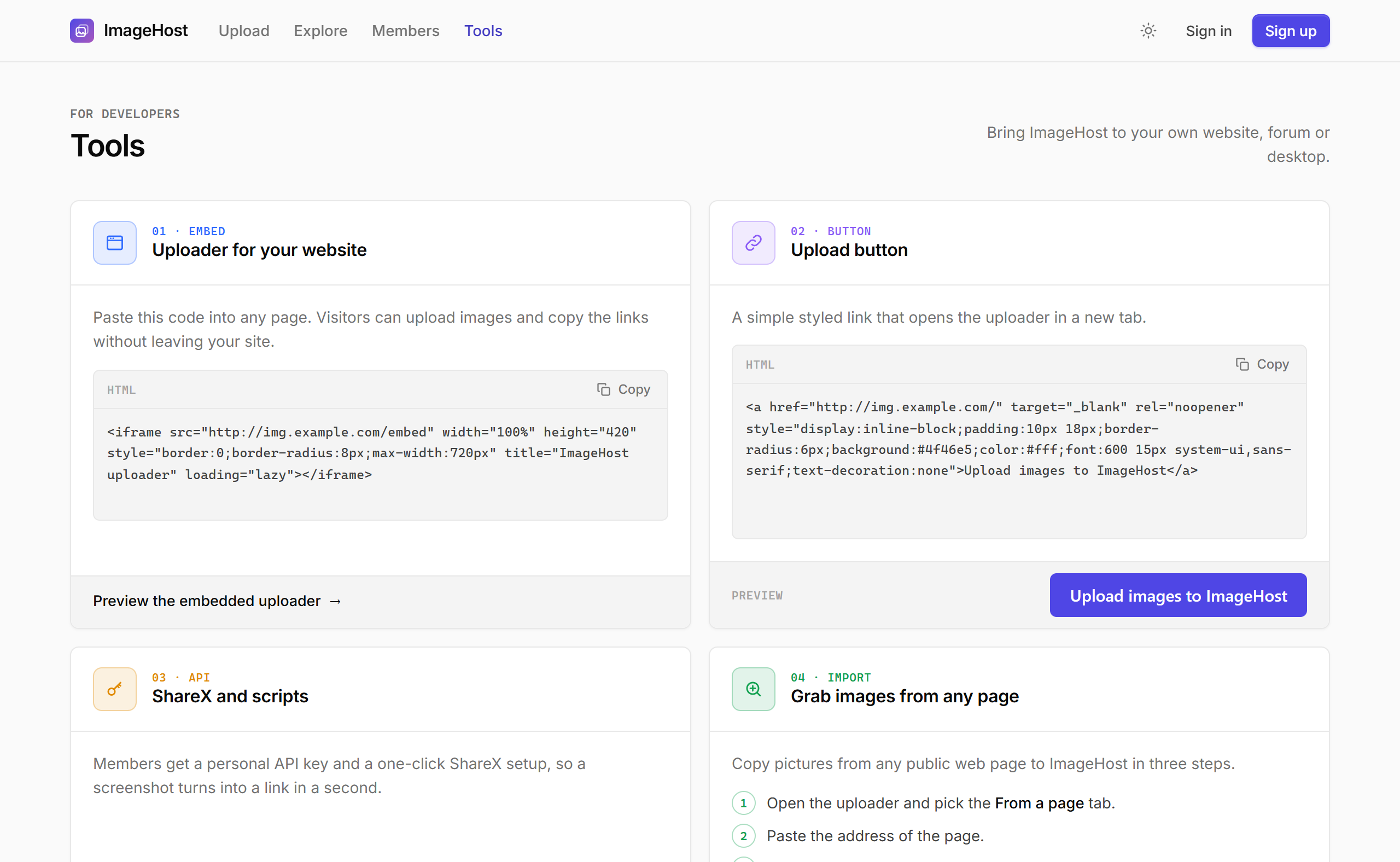
Limits and tips
- Send one image per request. To upload many, loop over them; three requests at a time is a good pace.
- Uploads per hour and per day follow Settings > Uploads (members get three times the hourly guest limit). On
429, wait before retrying. - Size, type and pixel limits are the same as on the website. Check
okand showerrorto your users. - Store
image.codeif you need to find the image again, and keepdelete_urlprivate: anyone who opens it can delete the image.
Troubleshooting
| Problem | Fix |
|---|---|
| Installer says a folder is not writable | Give the PHP user write access to storage/ (and sub folders), uploads/, and the site folder for config.php. |
| Pages other than the homepage show 404 | URL rewriting is off. Enable mod_rewrite and AllowOverride All, add the Nginx rules, or set URL style to plain in Settings. |
| Big images fail to upload | Raise PHP upload_max_filesize, post_max_size and memory_limit. The dashboard shows the current server limit. |
| "Too many megapixels" | The image is bigger than the pixel limit (40 MP for guests, 100 MP for members). Resize it first. |
| Password reset or sign-in emails never arrive | Check the site address in Settings, then send a test email under Mail and forms. Use SMTP if PHP mail is blocked by your host. |
| Locked out of the admin | See Locked out? under Security. |
| Visitor IPs all look the same behind Cloudflare | Set the visitor IP source to Cloudflare under Security. |
| API answers 401 | The key was replaced or mistyped. Copy it again from Account settings. |
| R2 test fails | Check the account ID, that the token has Object Read and Write for this bucket, and that the public address starts with https://. |
| "This is not an ImageHost package" | Upload the original imagehost.zip without unzipping or re-zipping it. |
Changelog
1.1.1 (October 23, 2026)
- Far fewer session files: guests and search engine crawlers no longer get one on every visit. A guest's form token now lives in a cookie, and a session starts only when someone signs in or a message has to be shown.
- The math captcha no longer needs a session, and guest view counts use a small cookie.
- Scheduled jobs remove idle guest sessions after 2 hours and any session after 24 hours.
1.1.0 (October 23, 2026)
First public release, free and open source under the GNU GPL version 3.
- Built for PHP 8.1 to 8.5, with SQLite or MySQL and no dependencies.
- Separate admin area with its own sign in, private address, idle timeout, IP lock, allow list and two-factor sign in.
- Member security: two-factor sign in with recovery codes, emailed sign-in codes, new-device alerts, recent sign-ins, account deletion confirmed by email.
- Captcha per form (Turnstile, reCAPTCHA, hCaptcha or math), DMCA notices, bulk tools, CSV exports.
- SEO, permalinks, split sitemaps, Cloudflare R2 offload, database tools, and ZIP updates with backup and restore.
- Upload API with personal keys, ShareX config and an embeddable uploader.
Need help?
Read this guide from install through the admin screens first. If something still fails, note the exact address, the message on screen and your PHP version, then contact us on the support page.