
This guide covers installing and running RapidLeech V2 (version 2.0.1), a free PHP script that downloads files from file hosts and video sites straight to your server. Use it for your first install and as a reference for every page and setting.
Tip
RapidLeech needs no database. Everything it stores (settings, the file list, logs) lives in the configs folder, and downloaded files go to files.
Overview
RapidLeech fetches a file from a link and saves it on your server. Downloads run server to server, so they are as fast as your server's connection and never pass through your own computer. From the dashboard you can then share a direct link to the file, run file actions on it, or upload it to other hosts.
- Transload: one link at a time, with a live progress card.
- Auto Transload: a queue of links that download one after another.
- Auto Upload: send server files to 37 upload hosts, including Google Drive.
- Admin panel: server status, clean up, premium accounts, the activity log and every setting.
Requirements
| Item | Needed |
|---|---|
| PHP | 8.1 or newer (8.1 to 8.4 tested; 8.3 recommended) |
| PHP extensions | curl and openssl (required); mbstring, zip and gd (recommended) |
| Web server | Apache, LiteSpeed or OpenLiteSpeed (the included .htaccess files work as they are), or Nginx with the rules under Security |
| Folders | files and configs writable by PHP |
| PHP limits | No run time limit for long transloads (the script lifts it where the host allows), 128 MB of memory or more |
| Optional tools | proc_open enabled, plus rar, unrar, yt-dlp and ffmpeg for the features that use them |
A VPS is the best home for RapidLeech: large transloads need disk space and long-running PHP. The Server check page shows what your server has.
Install
- Download rapidleech.zip and unzip it.
- Upload the contents of the rapidleech folder to your site's web root (or a sub-folder) with your hosting file manager, FTP or SSH.
- Switch the site to PHP 8.1 or newer. In aaPanel: Website > your site > Conf > PHP version. In cPanel: MultiPHP Manager.
- Make the
filesandconfigsfolders writable by the web server user. - Open your site in the browser. It sends you to setup.php.
Installed in a sub-folder?
Edit the two ErrorDocument lines at the top of the main .htaccess so they point to /that-folder/404.php.
First setup (setup.php)
Before an admin login exists, setup.php asks for a setup key, so only the owner of the server can configure it. The key is written to configs/setup_key.php the first time you open the page: open that file in your file manager and copy the 32-character key from its second line.
- Paste the setup key and continue.
- Under Website, set the site title (shown in the sidebar and browser tab).
- Under Admin login, choose an admin username and a password of at least 8 characters. This login opens the admin panel and setup.php.
- Optionally turn on the Dashboard password so visitors need to sign in, and add Google reCAPTCHA keys.
- Click Save.
Once an admin login is saved, the setup key stops working and its file is removed. From then on setup.php asks for the admin login, and all its settings are also in the admin panel.
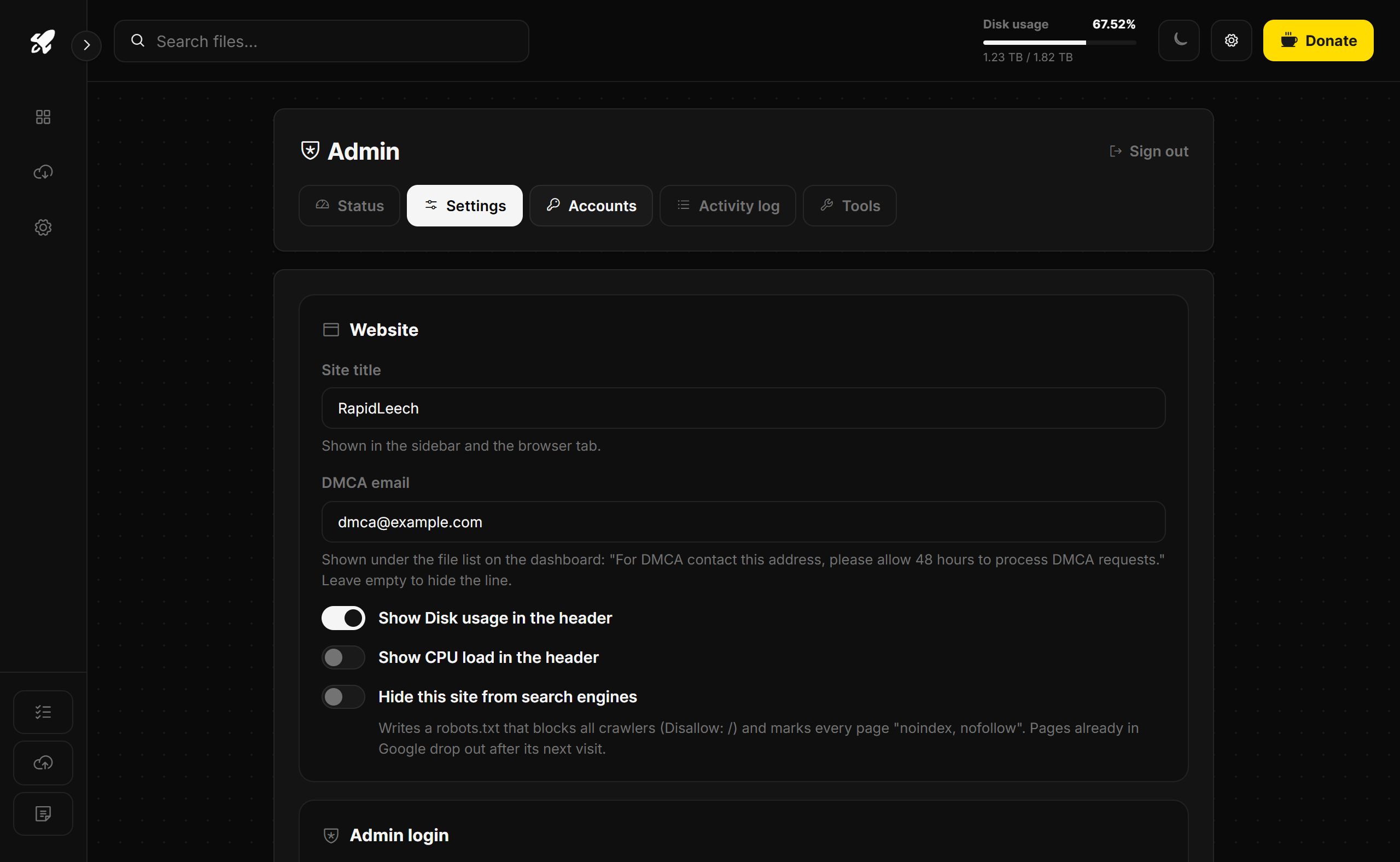
Admin panel
The admin panel opens at admin.php. There is no link to it anywhere on the site, and you can give it a custom address under Admin login > Admin page address (for example my-panel makes it my-panel.php, and admin.php then shows a 404). It has its own login, separate from the dashboard password.
| Tab | What it shows |
|---|---|
| Status | PHP version, disk, CPU load, memory limit, transloaded files, running downloads, auto-delete, the PHP extensions and tools found, and buttons to clear files. Server check opens the full check. |
| Settings | Every setting from setup.php (see Settings). |
| Accounts | Premium accounts for download plugins (see Premium accounts). |
| Activity log | Sign-ins, transloads, errors and blocked IPs, with a filter. |
| Tools | Update yt-dlp (YouTube and video sites) and check the rar and unrar programs. |
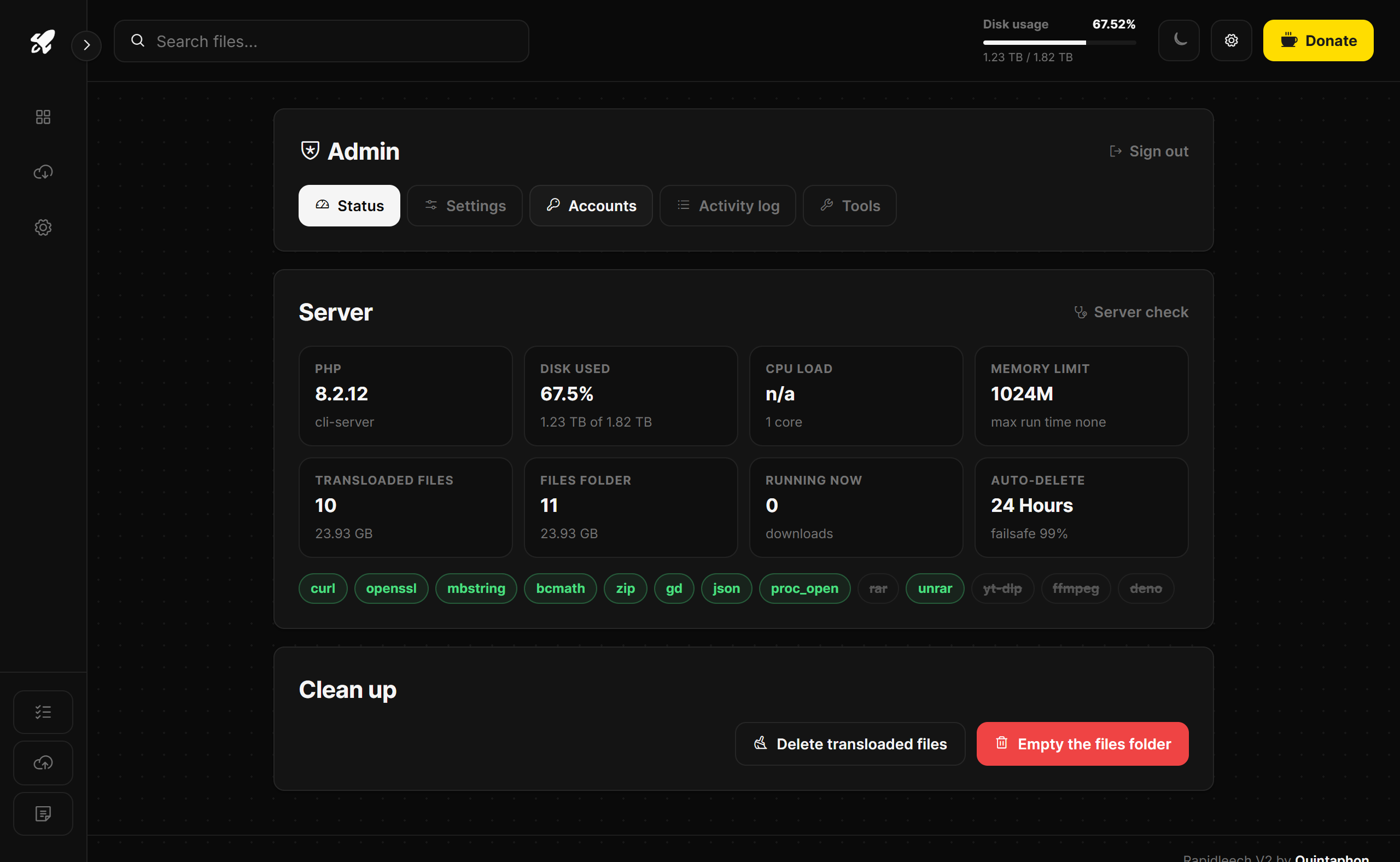
Settings
| Section | Settings |
|---|---|
| Website | Site title; DMCA email (adds "For DMCA contact ..." under the file list); disk usage and CPU load in the header; Hide this site from search engines (writes a robots.txt that blocks all crawlers and marks every page "noindex, nofollow"; a robots.txt of your own is kept and restored when you turn it off). |
| Admin login | Admin username and password, and the admin page address. |
| Dashboard password | Turn the visitor login on or off, with its username and password. |
| Google reCAPTCHA | Site and secret key; captcha after a number of failed sign-ins; IP blocking after more failures, for a set number of minutes. Used by both sign-in pages. |
| Files | Auto-delete timer (each file shows a countdown), turn off manual delete, and a storage failsafe that removes the oldest transloaded files when the disk gets full. |
| Downloads | Per-visitor file ownership, parallel downloads and the number of connections, and the largest file a transload may fetch. |
| File actions | A switch for every action in the Action menu: rename, zip, unzip, rar, unrar, pack, split, merge, hashing, change MD5, list links, e-mail, FTP and upload. |
| Features | Auto Transload, Auto Upload, Notes, and saving upload links to files/myuploads.txt. |
Transload a file
- Open Transload in the sidebar and paste the link.
- Optionally add a Referrer, a user and password for HTTP or FTP links, Disable all plugins to fetch the link as a plain file, or an Additional cookie.
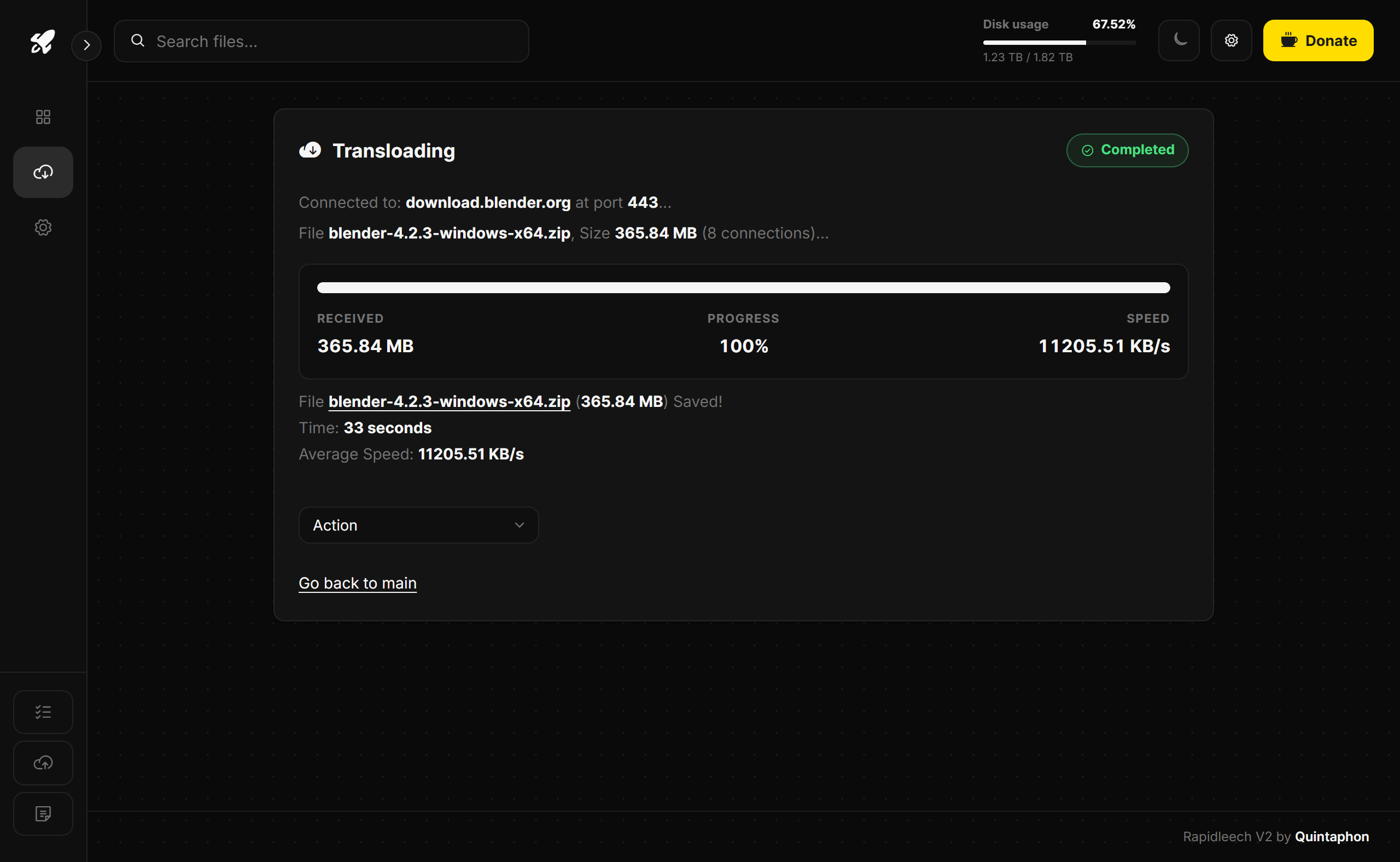
- Click Transload File. The Transloading card shows the received size, progress and speed, and a Cancel download button.
You can leave the page, reload it or close the tab: the transload carries on on the server and shows in the live transfers bar. To send the file on to a host as soon as it arrives, pick one under After download, upload to on the Transload page (Auto Transload has the same choice).
Plain links of 8 MB or more download over several connections at once when the server allows it. When the download finishes you see the saved file, the time and the average speed, and the Action menu for that file.
Disk space
RapidLeech checks that a file fits before it starts. If the disk fills up during a download, it stops, says so and removes the unfinished file.
Auto Transload
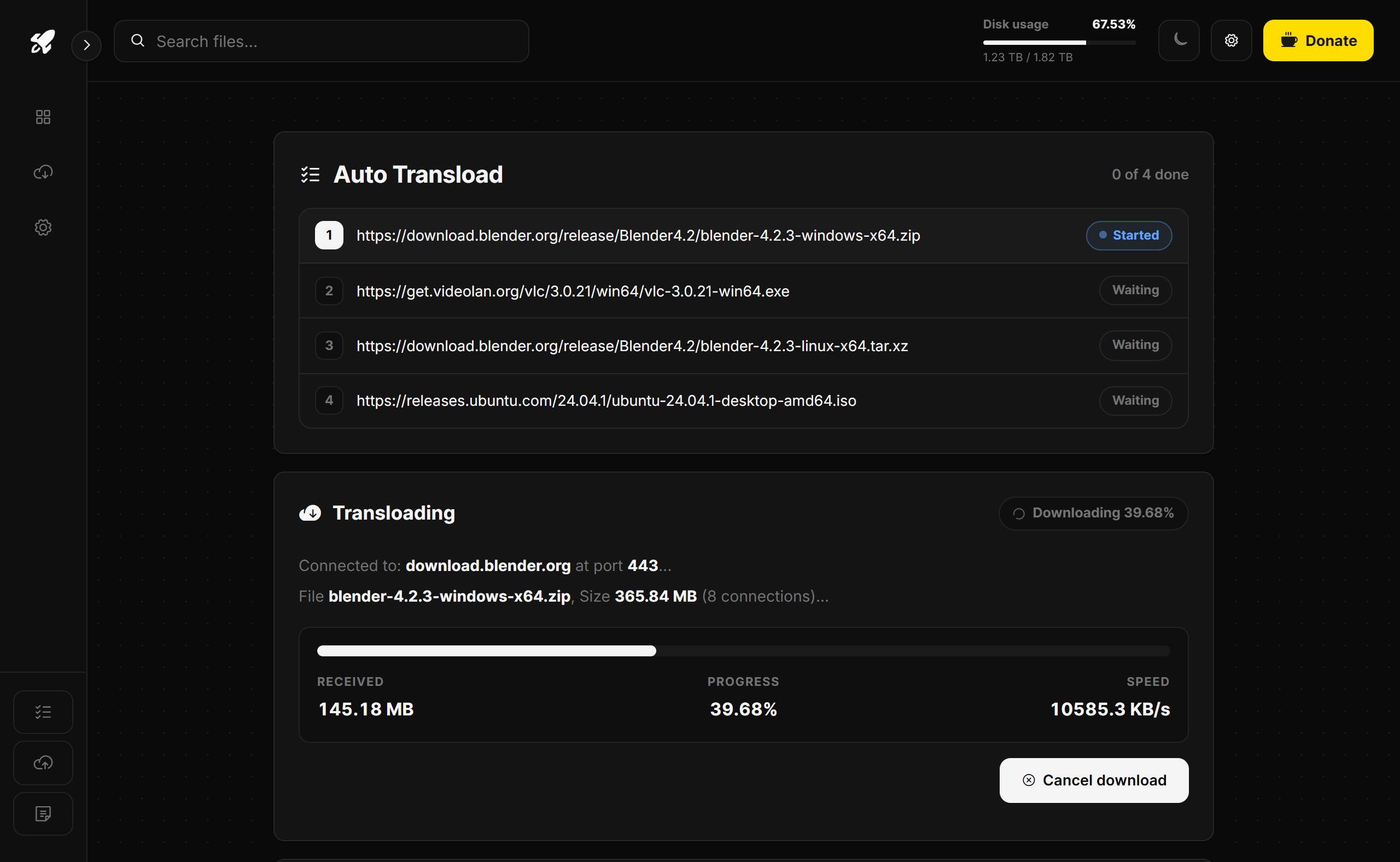
Open Auto Transload in the sidebar, paste one link per line and click Start. Two modes are available:
- In the browser (default): the queue page downloads one link at a time in a frame. Each row shows Waiting, Started, Finished or Failed, and you can add more links while it runs. Keep the page open: if you leave, the current file still finishes, but the rest of the queue waits for the page.
- On the server (tick Run Server Side): the server works through the list on its own, optionally with a delay between links.
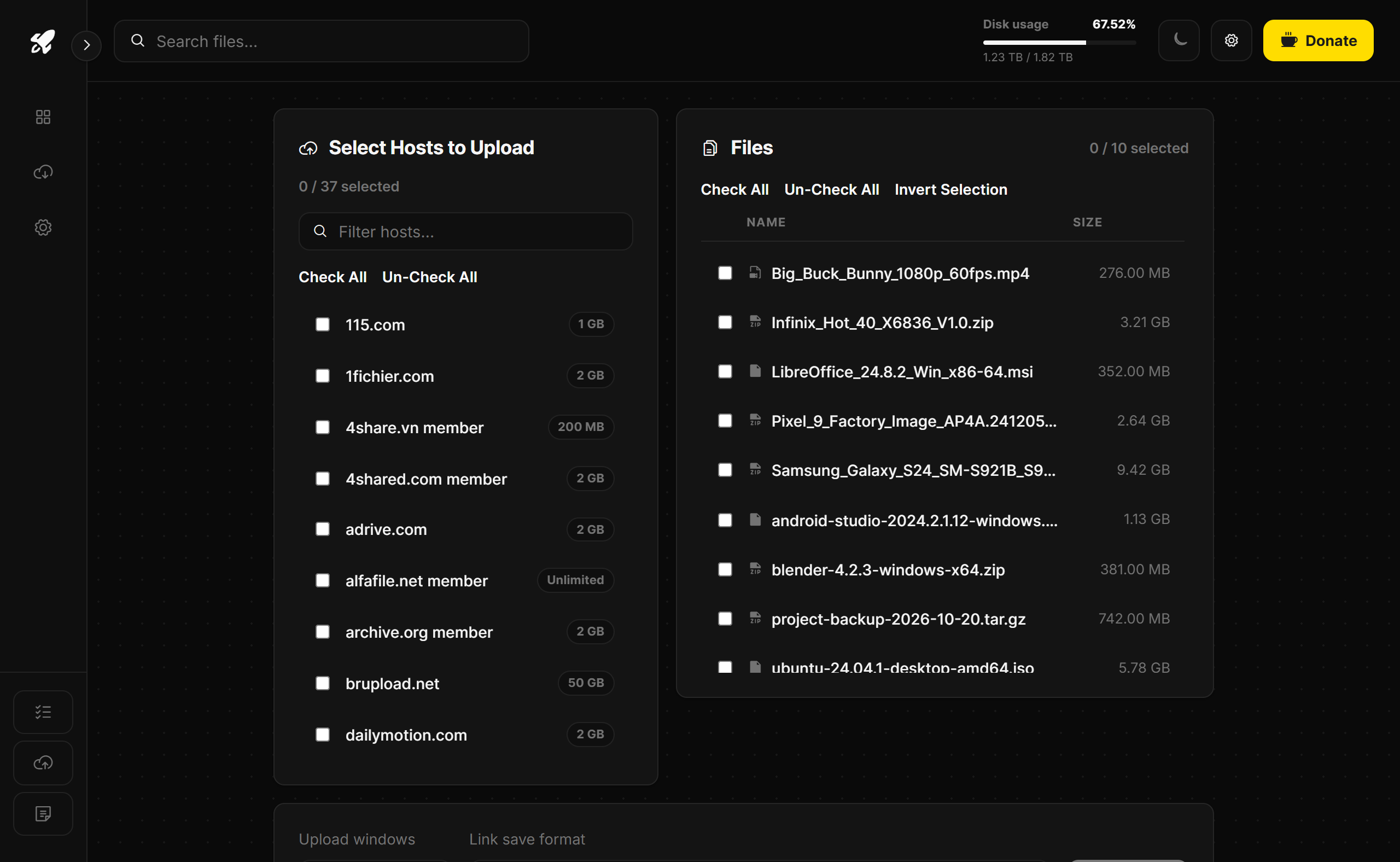
Auto Upload
Open Auto Upload, tick the hosts on the left and the files on the right, and start. Hosts with a member login use the accounts saved for them. Each upload's link is added to the upload log (files/myuploads.txt, viewable at auul.php?myuploads=1) unless you switched that off in the settings. Uploads also show in the live transfers bar and keep running if you leave the page.
Live transfers
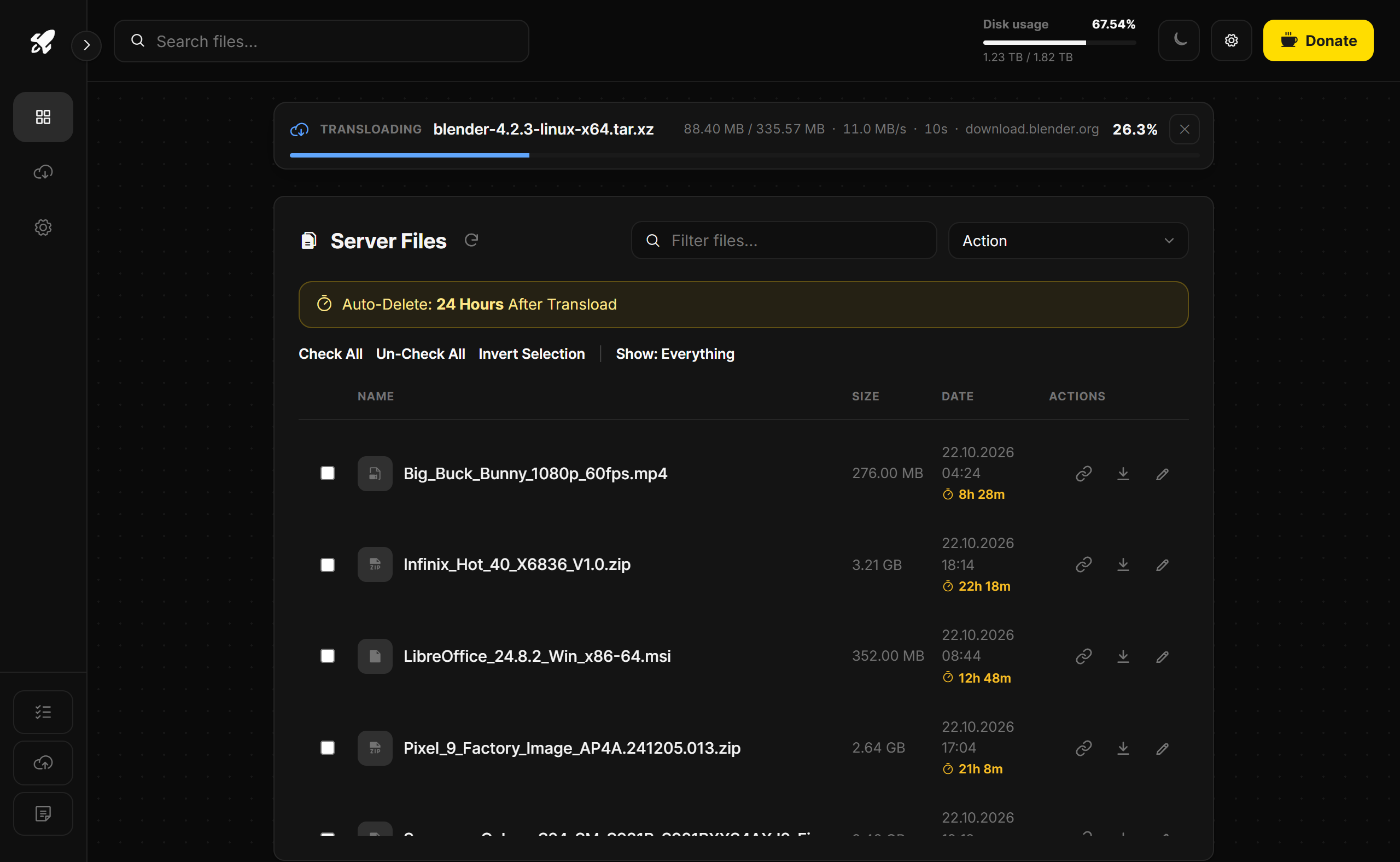
Every running transload and upload appears in a bar under the header, on every page: the file name, size done and total, speed, time running, the host and the percentage. It updates every few seconds and hides when nothing is running. A transfer the page already shows in full (its own progress page, or the Auto Transload frame) is not repeated there.
Transfers keep running when you leave or reload a page, or close the tab. To stop one, click the × on its row and confirm: a transload removes its unfinished file. With per-visitor file ownership on, each visitor only sees their own transfers.
File actions
Tick one or more files on the dashboard and choose an action from the Action menu: download, rename, mass rename, zip, unzip, rar, unrar, pack (TAR), split, merge, MD5 / SHA1 / CRC32, change MD5, list links, e-mail, upload to FTP, upload to file hosts and delete. Each action opens in a popup in the site design, and Delete lists every file with its result. Actions you switched off in the settings are hidden.
Rar and unrar
These need proc_open and the rar / unrar programs on the server (or in the script's rar folder). The admin Status tab shows whether they were found.
Premium accounts
In the admin panel, open Accounts and add a row per host: the plugin name (for example mega_co_nz or rapidgator_net) with a username and password, or a cookie. Plugins use the account automatically. Visitors can also enter their own premium login on the Transload page under Use Premium Account in Settings.
Supported sites & yt-dlp
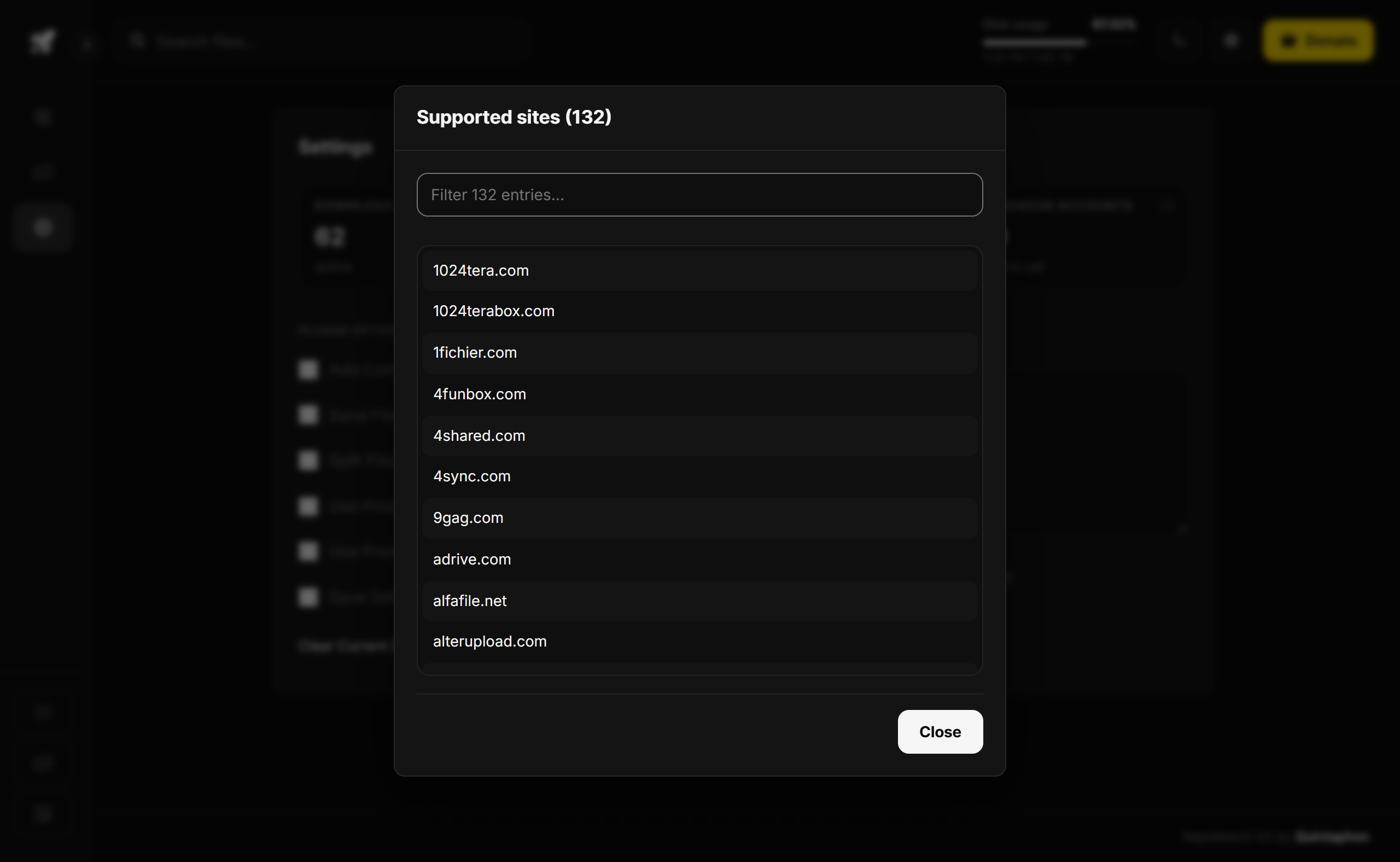
The Settings page counts the active download plugins, supported sites, upload hosts and premium accounts. Click a tile to see the full, filterable list.
Video sites (YouTube, Vimeo, TikTok, Instagram, X, Reddit, Twitch, Dailymotion and many more) go through the yt-dlp plugin. Install yt-dlp, and ffmpeg to join separate video and audio streams, in /usr/local/bin or in the script's bin folder.
Google Drive upload
RapidLeech can upload to your own Google Drive with Google's official API, in resumable chunks that survive network hiccups. Follow GOOGLE_DRIVE_SETUP.md in the script folder to create a Google Cloud OAuth client (about 10 minutes, once), enter the client ID and secret in configs/gdrive.php, then open gdrive_auth.php to connect your account. Google Drive then appears in Auto Upload and the Upload action.
Server check
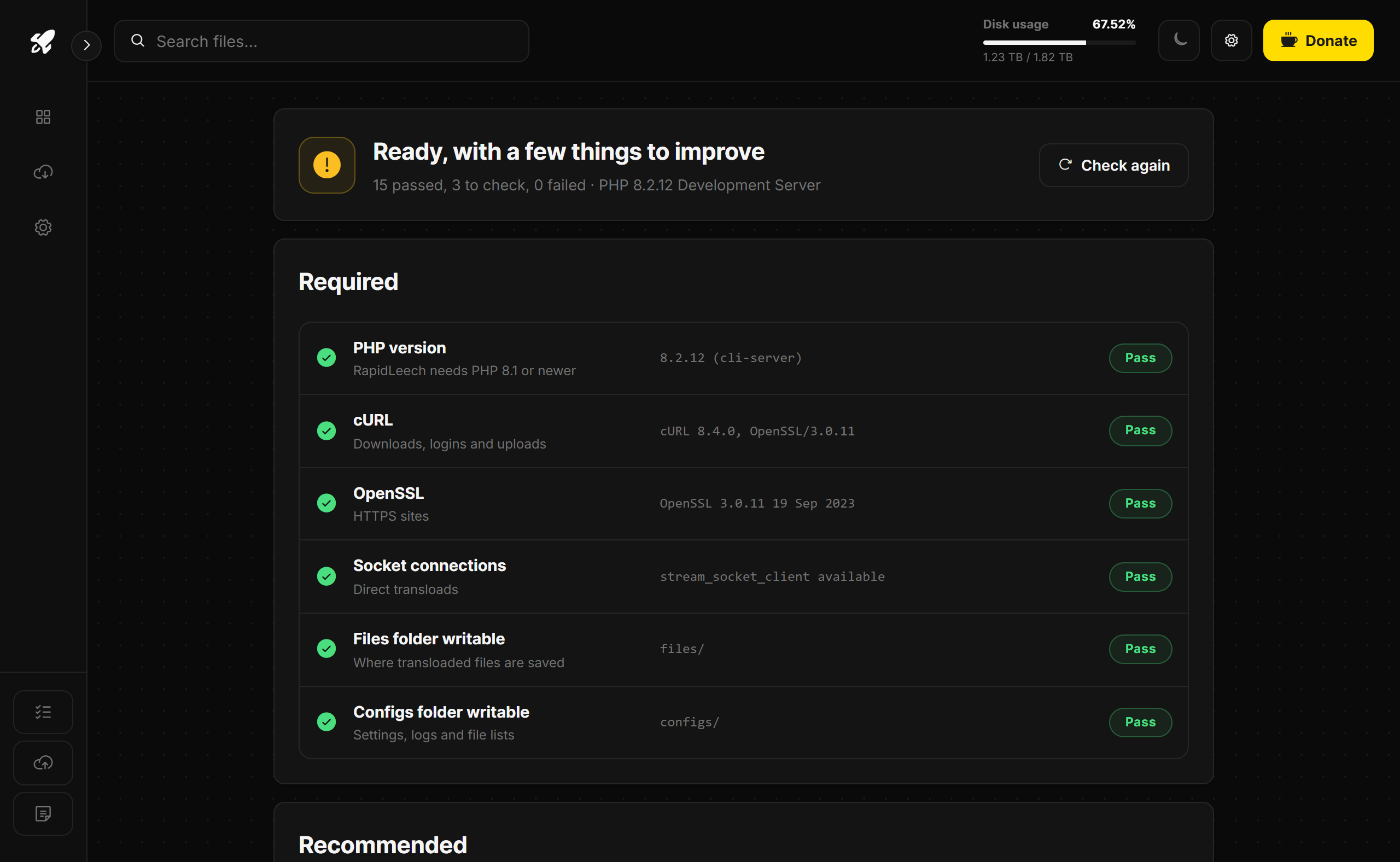
Signed in as admin, open checker.php (or Server check on the admin Status tab). It lists the required items (PHP version, cURL, OpenSSL, sockets, writable folders), the recommended ones (memory, run time, disk space, mbstring, zip, gd) and the optional tools, each marked Pass, Check or Fail.
Security
- Sign-ins: the dashboard password and admin login are stored as hashes. After a few wrong passwords the sign-in page asks for reCAPTCHA, and after more it blocks the IP for a while.
- Your own network is off limits: transloads can't fetch from localhost, private address ranges or cloud metadata addresses, so nobody can use your site to reach your server's internals.
- Private folders:
configs,classes,hosts,languagesandrarshow a 403 page. The rules are in the main.htaccessand work on Apache, LiteSpeed and OpenLiteSpeed. - Downloaded files: PHP never runs in
files, web pages and SVG files there always download instead of opening, and the folder can't be listed.
On Nginx, add these lines to the site's server block:
location ~ ^/(configs|classes|hosts|languages|rar)/ { deny all; }
location ~ ^/templates/.+\.php$ { deny all; }
location ^~ /files/ { location ~ \.php$ { deny all; } autoindex off; }
HTTPS
Use a free Let's Encrypt certificate from your hosting panel. If you use Cloudflare, keep the record on "DNS only": its proxy limits uploads to 100 MB and cuts long requests after 100 seconds.
Troubleshooting
| Problem | Fix |
|---|---|
| A white page or "PHP 8.1 or newer is required" | Switch the site to PHP 8.1, 8.2, 8.3 or 8.4 in your hosting panel. |
| "Could not save ... the server disk is full" | Delete old files (admin panel > Status > clean up) or add disk space. Turn on the auto-delete timer or the storage failsafe to keep space free. |
| "This address points to the server's own network" | Expected for links to localhost or private addresses. Transload from a public address instead. |
| A download stops after a while | The host limits PHP run time or the web server cuts long requests. Raise max_execution_time and the web server timeout, or use a VPS. |
| The progress card stays empty until the end | Output is being buffered. Turn off gzip or output buffering for the site, and keep Cloudflare on "DNS only". |
| /configs/ or files.lst opens in the browser | The web server ignored the rules: on OpenLiteSpeed restart it after uploading .htaccess; on Nginx add the rules above. |
| Rar, unrar or yt-dlp is missing | Install the program and enable proc_open in PHP. The admin Status tab and Server check show what was found. |
| Locked out of setup.php | Delete configs/config.php to start over (your files stay), or sign in with the admin login. |
Changelog
- 2.0.1: Live transfers bar under the header on every page, with a cancel button; leaving or reloading a page no longer stops a transload or upload. New "After download, upload to" choice on the Transload and Auto Transload pages. Settings switch for saving upload links to files/myuploads.txt. Delete results are shown as a list with a status for each file. Finished or cancelled transfers leave the list right away on Apache.
- 2.0: New Quintaphon design with light and dark themes, setup.php and an admin panel with its own login, Server check page, Auto Transload queue with live status, Google Drive upload, parallel downloads, auto-delete timer, storage failsafe, maximum file size, DMCA line and a switch to hide the site from search engines. Security: transloads can't reach the server's own network, private folders are blocked on Apache and OpenLiteSpeed, and every popup is part of the site. Mega downloads no longer stop at 99.9% on PHP 8. 100 plugins for dead file hosts were removed. Requires PHP 8.1.
Need help?
Questions or a feature request? Contact us on our support page. You can also download the latest version (v2.0.1) here.